
How to Switch Radio Stations While Driving
Based on GamesRadar+'s retail guide, here is how to pick a station and start playing it while driving.
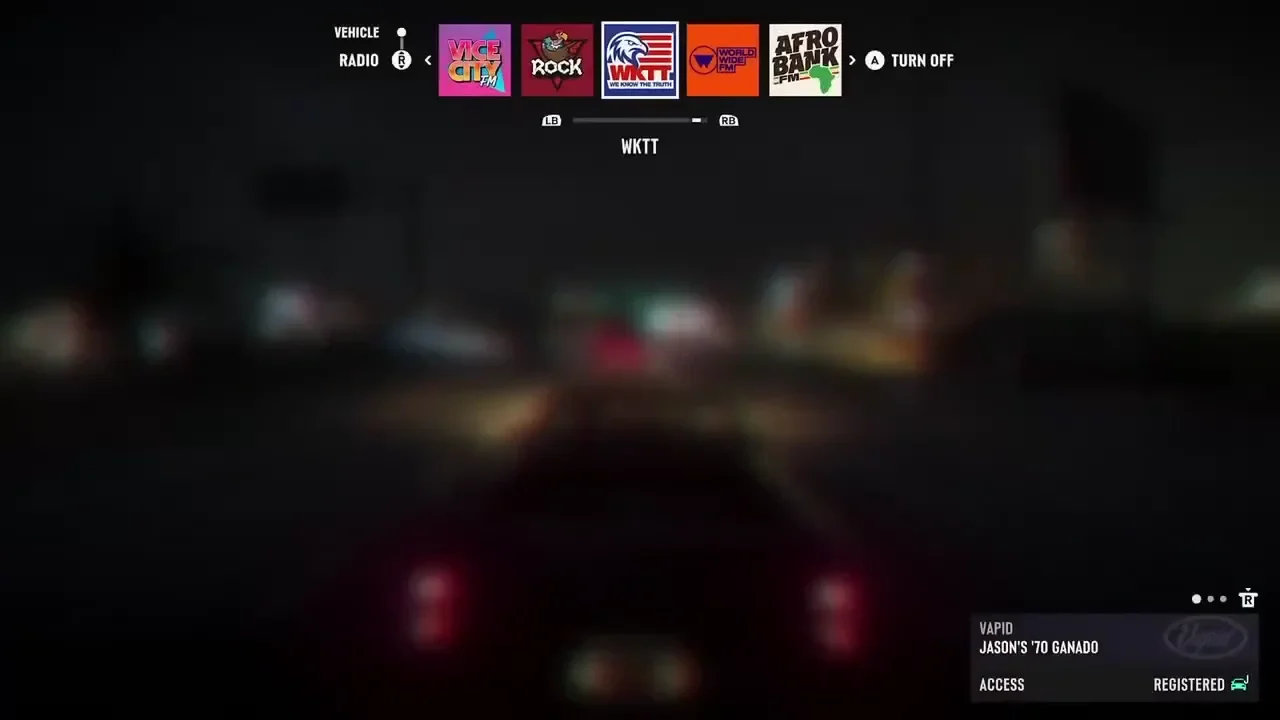
- Press and hold D-pad Left.
- Keep holding D-pad Left and cycle through stations with L1/R1 on PS5, LB/RB on Xbox, or the right stick.
- Release D-pad Left. If the selected station starts playing, the switch worked.
If the Station Doesn't Change
Keep holding D-pad Left the whole time you cycle through stations. Releasing it plays whichever station is selected at that moment. If you let go too early, hold D-pad Left again and select the station you want.
PS5 and Xbox Radio Controls
The shoulder buttons used to cycle stations are labeled L1/R1 on PS5 and LB/RB on Xbox, and the right stick works on both. The table is based on GamesRadar+'s retail guide.
ViceManual's PS5 "Driving" controls list also shows the D-pad Left hold while driving.
| Start selection (PS5 and Xbox) | Hold D-pad Left while driving (also shown in ViceManual's PS5 list) |
|---|---|
| Cycle stations on PS5 (GamesRadar+) | L1 / R1 or right stick |
| Cycle stations on Xbox (GamesRadar+) | LB / RB or right stick |
| Confirm and play (GamesRadar+) | Release D-pad Left to play the selected station |
The Vehicle Menu Input and the Pre-Launch Demo
GTABase’s controls table for cars, motorcycles, and boats lists holding D-pad Left as the input for opening the Vehicle Menu.
In his notes on the pre-launch demo, TGG reported cycling through radio stations one at a time.
How to Set a Waypoint Without Opening the Map in GTA VI on PS5