
The 5 Criminal Profile Stages
According to PowerPyx and PC Gamer, the Criminal Profile has five stages in the English UI: Professional, Hardened, Violent, Psycho, and Irredeemable. Each protagonist's profile is shown separately.
According to PC Gamer, the stages appear on screen as horned-face, emoji-style icons: Professional (yellow), Hardened (orange), Violent (purple), Psycho (light gray), and Irredeemable (dark gray).
Your stage depends almost entirely on how often you kill people in the game.
See the icons for all five Criminal Profile stages (PowerPyx)
How to Check Your Current Stage
According to PowerPyx, you can check each protagonist's current stage from the map.
For a quick check, hold D-pad right during gameplay. An icon will appear in the bottom-right corner of the screen.
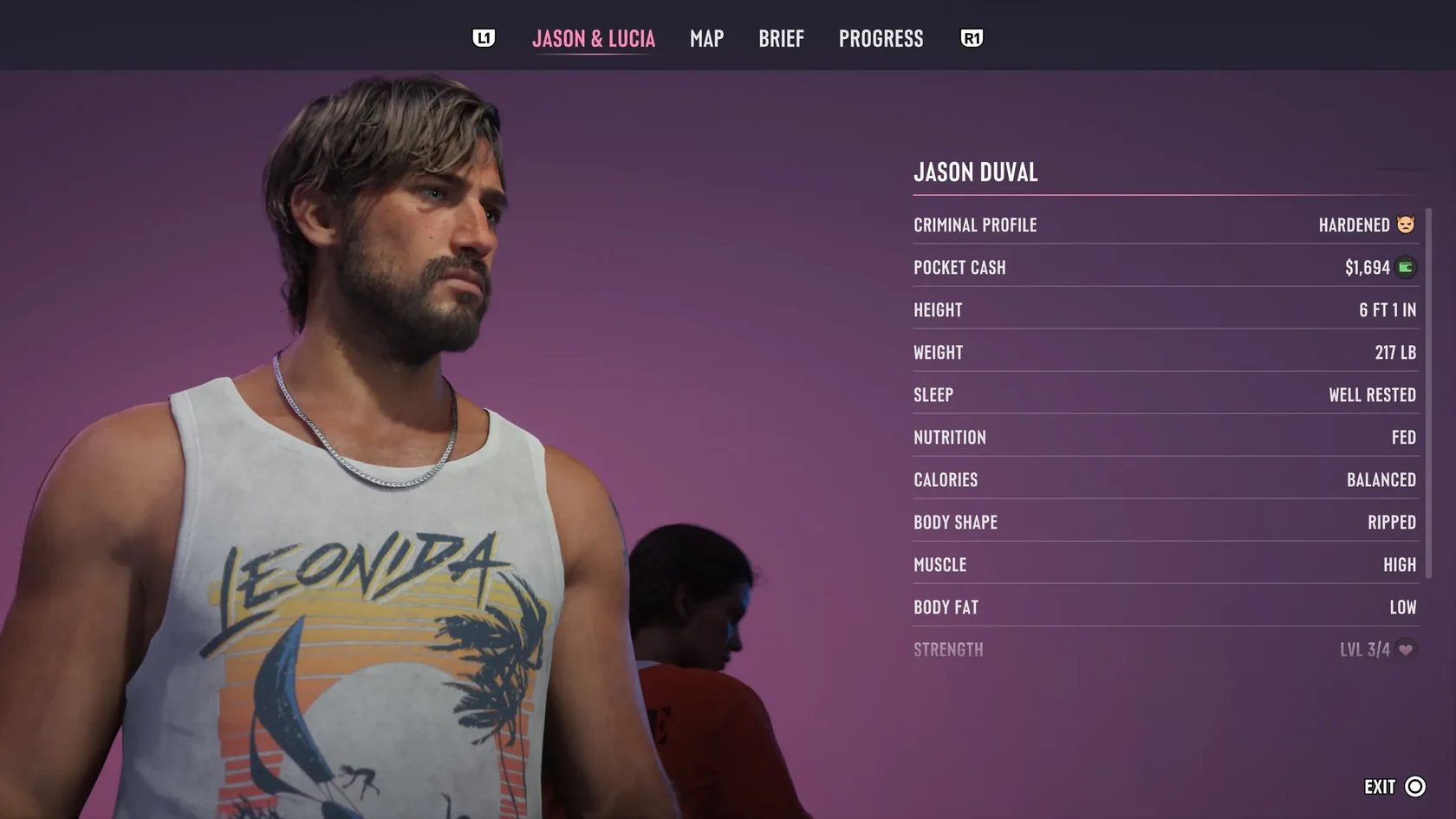
- Open the map.
- Press L1 on PlayStation or LB on Xbox to switch to Jason & Lucia.
- Select the protagonist you want to check.
- Look for the current stage at the top to confirm.
| Map tab switch | PlayStation: L1 / Xbox: LB |
|---|---|
| Gameplay shortcut | Hold D-pad right |
| Shortcut display | Icon in the bottom-right corner |
| Source | PowerPyx (PlayStation and Xbox inputs listed) |
Example Actions and Focus Effects for Professional, Hardened, and Violent
According to PC Gamer, non-lethal incapacitations and thoughtful acts toward citizens increase your focus meter (bullet time) at Professional and Hardened, while headshots increase it at Violent.
The table below lists PC Gamer's example actions for each tier. These examples illustrate behavior associated with each tier rather than serving as a threshold table of counts required to advance.
The cited PC Gamer passage does not specify a platform, build, or region.
| Professional | Focus effect: non-lethal incapacitations and thoughtful acts toward citizens increase your focus meter |
|---|---|
| Hardened | Example actions: killing enemies, killing citizens in self-defense, acting without concern for detection. Focus effect: same as Professional, with non-lethal incapacitations and thoughtful acts toward citizens increasing your focus meter |
| Violent | Example actions: avoiding non-lethal options, killing enemies and police, killing citizens indiscriminately. Focus effect: headshots increase your focus meter |
GTA VI Focus: Controls, Highlight Colors, and Slow-Mo While Aiming
What Changes at Psycho and Irredeemable (Police Reaction and Surrender)
According to GamesRadar+, once your Criminal Profile reaches Psycho or Irredeemable, officers open fire far faster than before, and you can no longer surrender to police.
At Psycho and Irredeemable, headshots also increase your focus.
Irredeemable Cannot Be Reversed
PowerPyx reports that Irredeemable can result from a sustained pattern of in-game actions rated toward Psycho without the profile shifting back toward Professional.
Once reached, Irredeemable is permanent for that playthrough. PowerPyx and PC Gamer give no specific time or action count for the transition.
GamesRadar+ reports that you can move freely between Professional, Hardened, Violent, and Psycho. A scratch-like line across the Psycho icon warns that you have reached a breaking point and risk tipping into Irredeemable.
GamesRadar+ does not say which actions tip you into Irredeemable after the line appears, or how to clear it.
There is a documented example of a profile changing before Irredeemable.
In Livingston's playthrough (platform unspecified), both protagonists' profiles temporarily became Hardened, and both were Professional when he finished the game.
In a pre-launch IGN interview republished by Best Buy Gamers, developer Rob Nelson said that patterns of in-game actions can affect the Criminal Profile and how the story plays out.
Turning On Criminal Profile Notifications (PS5, English UI)
According to PowerPyx's trophy guide (the "Actions Speak Louder" entry), turning on the following setting on PS5 in the English UI makes a notification icon appear on the right side of the screen during profile-related actions.
The default value and the behavior when set to Off have not been confirmed.
- Open Settings.
- Go to UI, then HUD Notifications.
- Set Criminal Profile to On.
- Confirm that a notification icon appears on the right side of the screen during profile-related actions.
| Verified platform and UI | PS5 (English UI) |
|---|---|
| Menu path | Settings > UI > HUD Notifications > Criminal Profile |
| Verified setting | On |
| Unconfirmed | Default value, behavior when set to Off |
GTA VI Focus: Controls, Highlight Colors, and Slow-Mo While Aiming