
One In-Game Day Works Out to 2 Hours 24 Minutes
PowerPyx puts one in-game minute at six real-world seconds and describes how to check it with a stopwatch and the clock in the upper-left corner of the in-game phone.
At a constant rate of six seconds per minute, all 1,440 in-game minutes would take 2 hours and 24 minutes.
| Real time per in-game minute | 6 seconds (PowerPyx's report) |
|---|---|
| One in-game day (calculated) | 2 hours 24 minutes (from 1 minute = 6 seconds) |
| Version measured | Not specified by PowerPyx |
| How PowerPyx suggests checking | Use a stopwatch and the clock in the upper-left corner of the in-game phone |
| Measurement spanning a full in-game day | Not included in the PowerPyx article |
| Platform and build number | Not specified |
How to Check the Clock Speed Yourself
Use the in-game phone clock described by PowerPyx to check the rate in your own game during free roam.
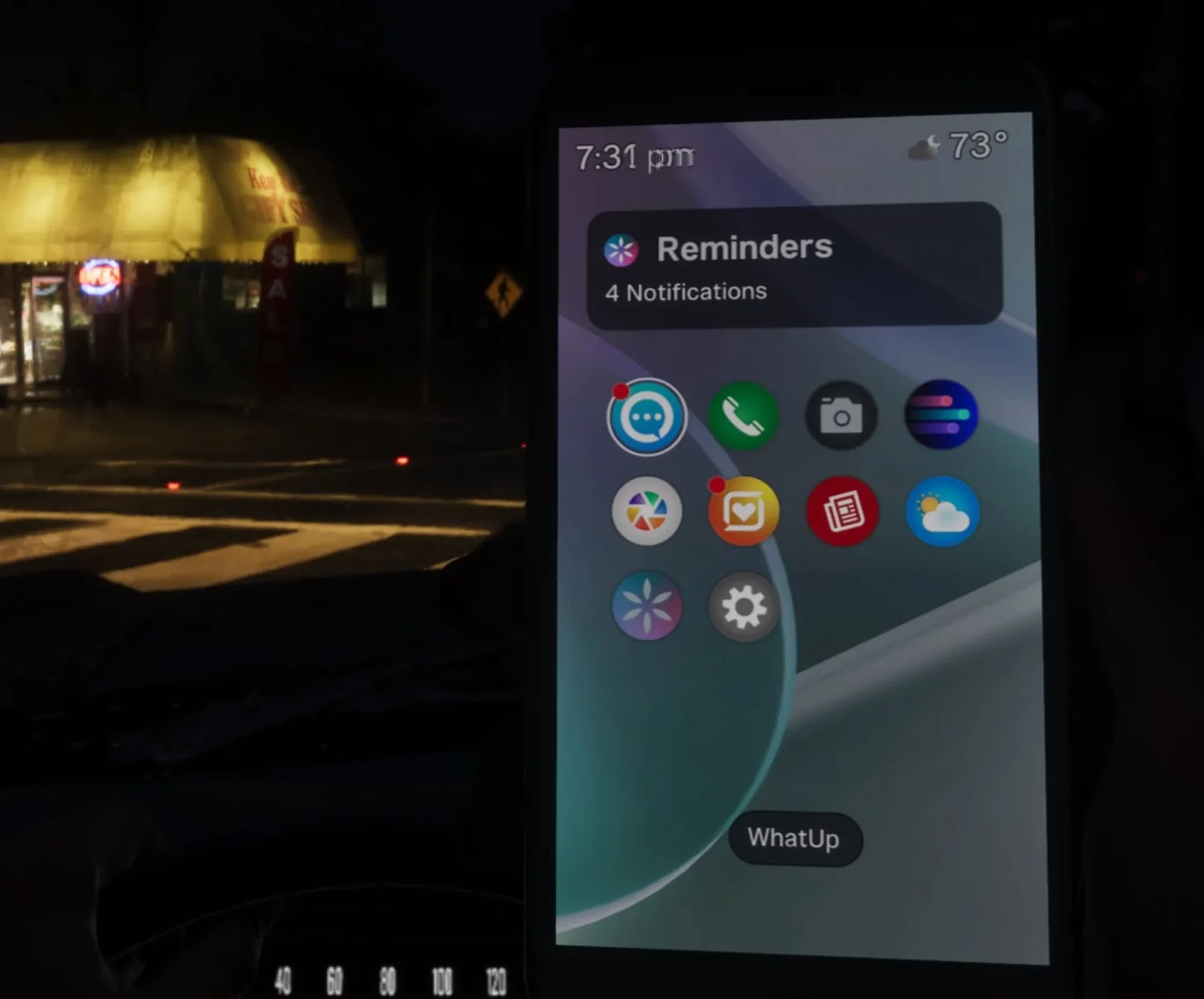
- Have a stopwatch ready, then open the in-game smartphone during free roam and look at the clock in the top-left corner
- Start the stopwatch the moment the minute display changes
- Stop it the next time the minute display changes and note the elapsed seconds
- If it took about 6 seconds, your result matches PowerPyx's report
- If you keep missing the exact moment of change, let the stopwatch run for several in-game minutes, then divide the total seconds by the number of minutes that passed
- Record your platform and game version alongside the result
How to Check the Current Time on Your In-Game Phone in GTA VI
Day-Night Cycle and Free-Roam Time Progression
In pre-release coverage, Edge reported that GTA VI has a longer day-night cycle than its predecessor.
VGC’s Jordan Middler explains that time usually passes naturally in free roam and that some missions force a change in the time of day.
However, neither article gives a specific length for a full in-game day.