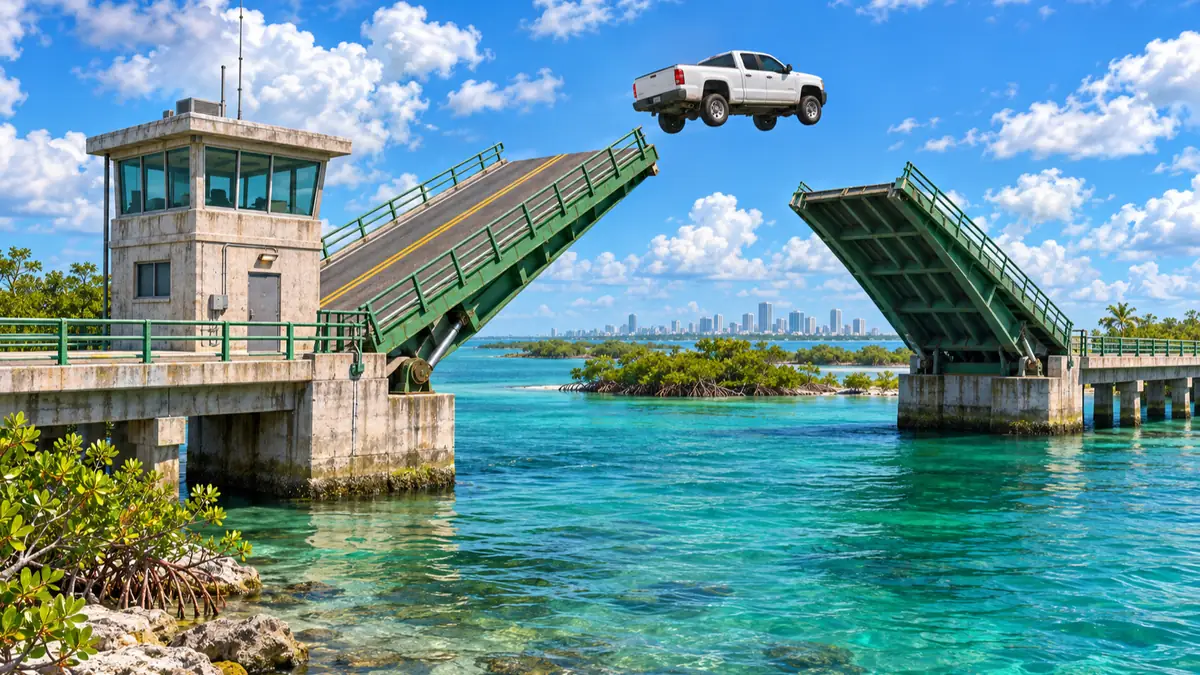
Drawbridge Jump Requirements and Scope
The sources only show Drawbridge Jump being completed at the Peregrine Bay drawbridge in Mariana County, where Abseedy and Trophy Tom raise the spans first and then make all three jumps in the same vehicle.
The exact requirement, taken from the in-game challenge description and PowerPyx, is listed in the table. It is unconfirmed whether other drawbridges count.
| Challenge | DRAWBRIDGE JUMP (VEHICLE tab) |
|---|---|
| In-game condition (also listed by PowerPyx) | Jump a vehicle more than 100 feet over a drawbridge 3 times without exiting the vehicle |
| Availability | Available from the start of the game (PowerPyx) |
| Verified location | Peregrine Bay, Mariana County (the bridge heading west from the sandy island in Corsair Key) |
| Observed scope | English UI, checked as of November 21, 2026 (JST); Xbox-style button prompts in Abseedy's footage (platform, build, and region unknown) |
Where to Find and Raise the Peregrine Bay Drawbridge
Abseedy points to the bridge heading west from the sandy island in Corsair Key, noting that it is relatively secluded and a good spot for this challenge.
GamerHour and Trophy Tom say you can either wait for the drawbridge to rise or raise it yourself. The bridge will most likely be down when you arrive, so Abseedy recommends raising it yourself from the bridge tower.
Before you go the manual route, note Abseedy's warning: once you enter the tower, the worker inside will call the police on you for trespassing.
To raise it yourself, pull up at the tower, get out, use the BREAK OPEN prompt on the door, and head up the stairs on the left to the control panel.
In Abseedy's and Trophy Tom's footage, they defeat the worker at the top of the stairs before reaching the panel (see the separate guide for the full controls).
At the control panel, select CONTROL BRIDGE to enter the controls, which show RAISE / LOWER and OPEN BRIDGE (CLOSE BRIDGE once the bridge is open).
In Trophy Tom's footage, the spans rise after OPEN BRIDGE changes to CLOSE BRIDGE. Exactly how the two prompts work together when opening a closed bridge is unconfirmed.
Abseedy suggests stopping at about 45 degrees at most to avoid raising the spans too far. When you're done, select EXIT and head back to your vehicle.
How to raise and lower GTA VI drawbridges from the bridge control room
See the map pin and control panel screenshots for the bridge in GamerHour's guide
Steps to Complete Drawbridge Jump
Once the Peregrine Bay drawbridge is raised, keep jumping in the same vehicle without getting out until you've made three jumps of more than 100 feet.
If you raised it yourself, return to your vehicle first; if you waited in your vehicle or the bridge was already up when you arrived, drive straight to your run-up position.
On vehicle choice, Trophy Tom's footage recommends grabbing a fast car, while Abseedy explains that 100 feet is not a long distance, so you can clear it even without a fast car.
Abseedy also notes that a jump that looked short still counted as 100 feet, and guesses that the distance is measured from the tip of the bridge to where you land.
- Drive to the Peregrine Bay drawbridge.
- If the spans are down, wait for the bridge to rise on its own, or raise it from the bridge tower control panel (select CONTROL BRIDGE, raise the spans with the OPEN BRIDGE or RAISE / LOWER prompts while stopping at about 45 degrees at most, then select EXIT).
- If you raised it yourself, get back into your vehicle. If you waited in your vehicle or the bridge was already up, go straight to your run-up position.
- Back up for a clear run-up and line up straight with the bridge as you approach.
- After each jump, stay in the vehicle, make a U-turn once you're across, take another run-up, and approach the bridge straight again.
- Repeat until you've made three jumps of more than 100 feet without exiting or switching vehicles.
- Check DRAWBRIDGE JUMP for completion in the CHALLENGES menu (see the next section).
How to Check Completion and Avoid Resetting the Count
There is no on-screen notification, so check completion in the VEHICLE tab of the CHALLENGES menu. The jump count restarts if you exit the vehicle or switch to another car partway through.
As Abseedy notes, no pop-up notification appears when you finish this challenge, so follow the steps below.
PowerPyx likewise says a Completed checkmark shows in the bottom-right corner when you scroll over a challenge under Progress > Challenges.
Abseedy explains that the jump count restarts whenever you get out of the car or switch to another one.
For example, turning at the last second—especially at high speed—can send you flying into the water and force you out of the car. Switching to a different car because your wheels lock up also starts the count over.
- Open the pause menu and go to PROGRESS.
- Open CHALLENGES and select the VEHICLE tab.
- Move the cursor over DRAWBRIDGE JUMP.
- If COMPLETED and a checkmark appear in the bottom-right corner of the screen, the challenge is done.