What Error CE-108255-1 Means on PS5
US PlayStation Support classifies CE-108255-1 as a game or application error. Its advice applies to any game and is not a GTA VI-specific fix: update the game, and contact PlayStation Repairs if you still need help.
As of November 21, 2026 (JST), this research found no official announcement or patch addressing this crash in GTA VI.
Rockstar's November 18, 2026 FAQ only points to each console's error support pages; it is not a diagnosis or fix notice for Pipework or any specific scene.
How to Check for GTA VI Updates on PS5
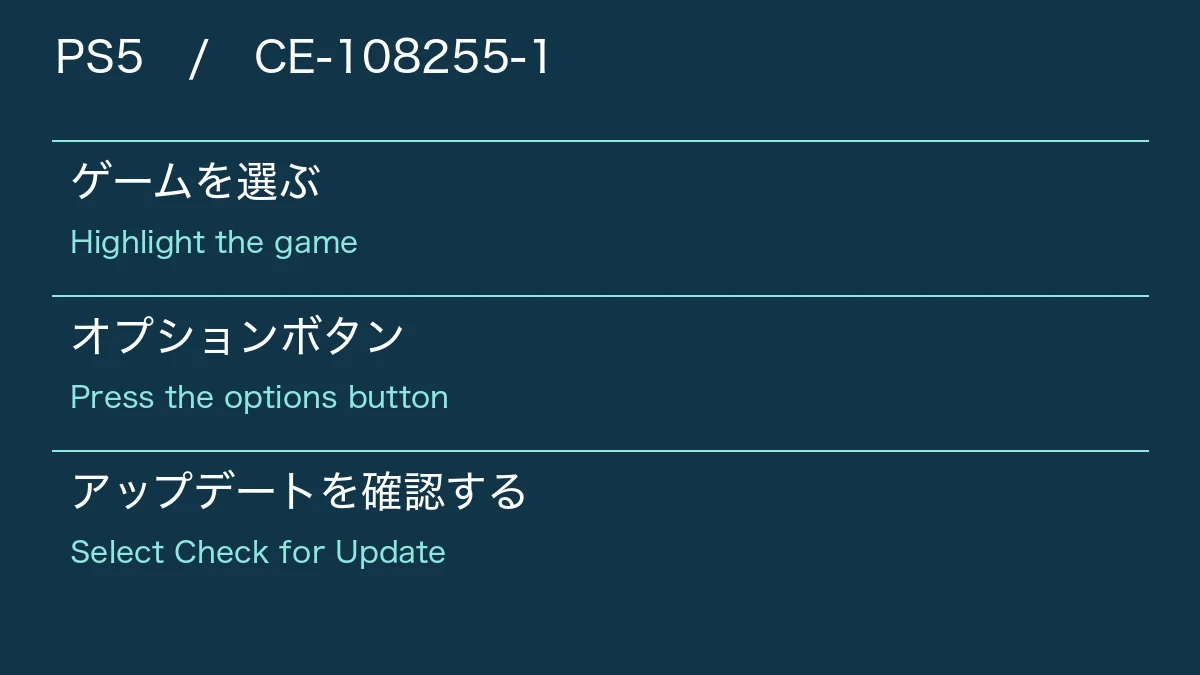
Follow the PS5 update steps listed by US PlayStation Support; Japan PlayStation Support lists the same steps. Checking does not guarantee that an update exists or that it will fix CE-108255-1 crashes.
If you still need further help after updating, US PlayStation Support directs you to PlayStation Repairs.
- Highlight GTA VI on the PS5 games home screen.
- Press the options button.
- Select Check for Update.
- Follow the on-screen instructions to install any available update.
GamesRadar+ and Player Crash Reports (Pipework, Prologue, and Xbox Distinction)
Reported crash points include the sink area in Pipework, the opening cutscene, and the start of the prologue. GamesRadar+ found over a dozen Reddit posts that appear to describe similar crashes.
These are individual player reports, not evidence of how widespread the issue is or of a verified fix.
Polygon and Dexerto also covered a Reddit r/PS5HelpSupport post reporting a progression-blocking crash in Pipework on PS5. This is one player's report; the game version and region are unknown.
Dexerto cited separate console reports including PS5 Pro and Xbox Series X crashes, but CE-108255-1 is a PlayStation error code and there is no basis to apply it to Xbox reports.
| PS5 (Pipework) | Crashes with CE-108255-1 every time user Acrobatic-Promise458 uses the plunger or stands near the sink holding it, blocking progress |
|---|---|
| Opening cutscene (GamesRadar+) | 1 player reported a crash here among over a dozen Reddit posts that appear to describe similar crashes |
| PS5 Pro (Startup prologue) | Crashes with CE-108255-1 as soon as the startup prologue begins, at the same spot or a few seconds in (separate player cited by Dexerto) |
| Xbox Series X (Separate report) | First crash about 2 hours in, with later crashes sometimes after 15 minutes (separate player cited by Dexerto) |
GTA VI Prologue Crashes and PS5 Shutdowns: Reports and Steps to Try
Reported 1080p Workaround and Other Unverified Fixes
Polygon reported that some players avoided the crash by changing their PS5 resolution from Manual to 1080p in system settings. Polygon added that these fixes seem to work for some players but not others.
The console model, software version, and number of successful attempts behind these reports are unknown, and it is unconfirmed whether 1080p fixed the crash for the original Pipework poster.
Polygon also listed clearing the cache, rebuilding the database, reinstalling the game, updating system software, and restoring licenses as individually reported attempts.
Treat these as separate unverified options rather than a sequential repair process, as none are guaranteed to work.
Rockstar Official FAQ and Conflicting Support Guidance
Rockstar's November 18, 2026 official FAQ directs you to platform-specific troubleshooting links: PlayStation's error code support for PS5 and Xbox's error lookup for Xbox Series X|S.
Individual support replies have pointed in opposite directions.
The Pipework poster wrote that Rockstar Support told them to contact PlayStation's PS5 hardware support, whereas Polygon reported via Gizmodo that PlayStation Support told at least one player it was a software issue, leaving the root cause unconfirmed.