How much to send Lorena and which account to use
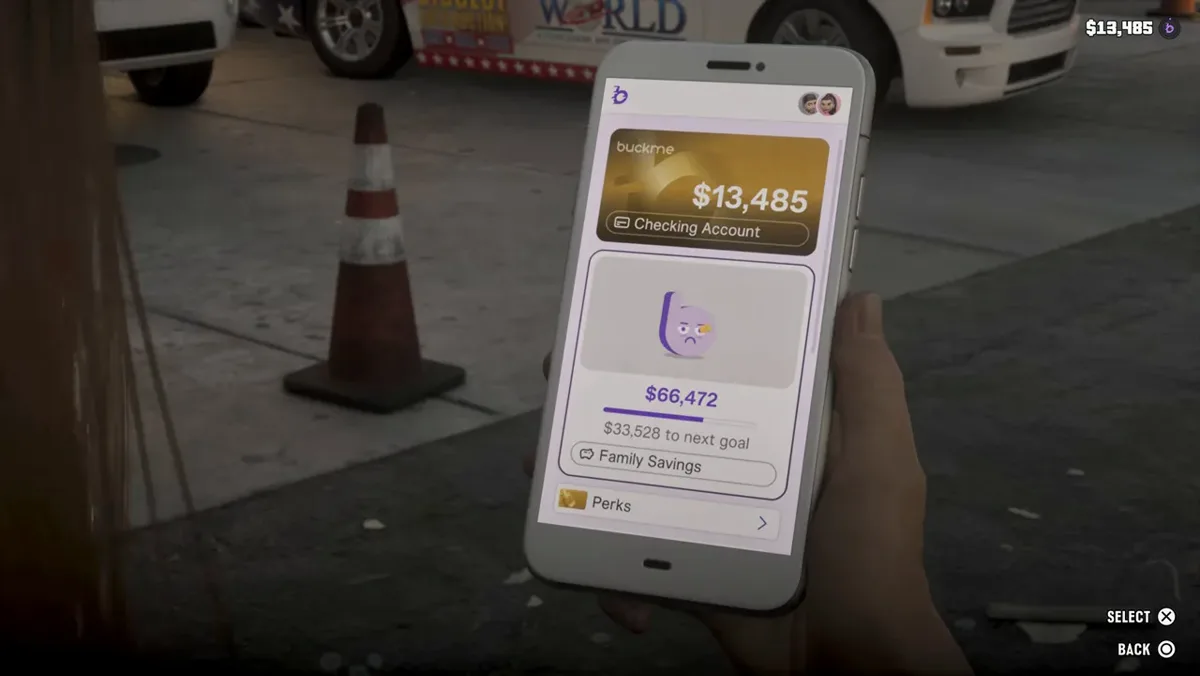
You can complete each transfer on the spot without traveling to a marker. Before each transfer, check that you have the $5,000 you’re sending in your Checking Account. Family Savings (the savings account) is displayed separately.
If your Checking Account is short, see How to deposit cash into BuckMe at an ATM. For Family Savings (the savings account) rules, see GTA VI Family Savings: Money Withdrawals and Savings Perks.
| When they unlock | Chapter 3. First: after Mami Knows Best. Second: a few in-game days after completing the first transfer. |
|---|---|
| Amount required | $5,000 each ($10,000 total) |
| Account charged | Checking Account |
| Map waypoint | None |
| Playable characters | Lucia for the first transfer |
How to complete Send Money to Lorena
After Lucia speaks with Lorena at the end of the Chapter 3 mission Mami Knows Best, the task appears in Story, the map menu’s story mission list, with a $0 / $5,000 goal.
The $5,000 payment comes out of your Checking Account, while Family Savings is shown in a separate box.
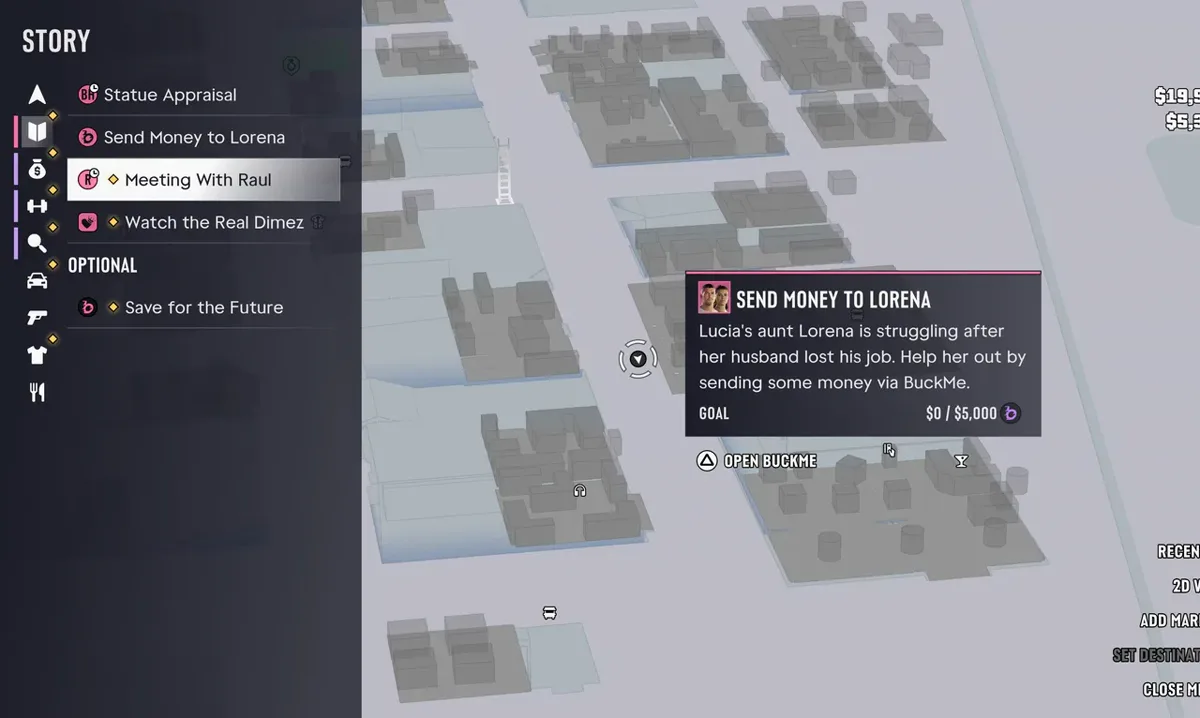
- Select Send Money to Lorena in the Story list.
- Choose the Open BuckMe shortcut (or open BuckMe directly on Lucia's in-game phone).
- Choose Pay Someone from your Checking Account.
- Select Lorena's suggested $5,000 payment.
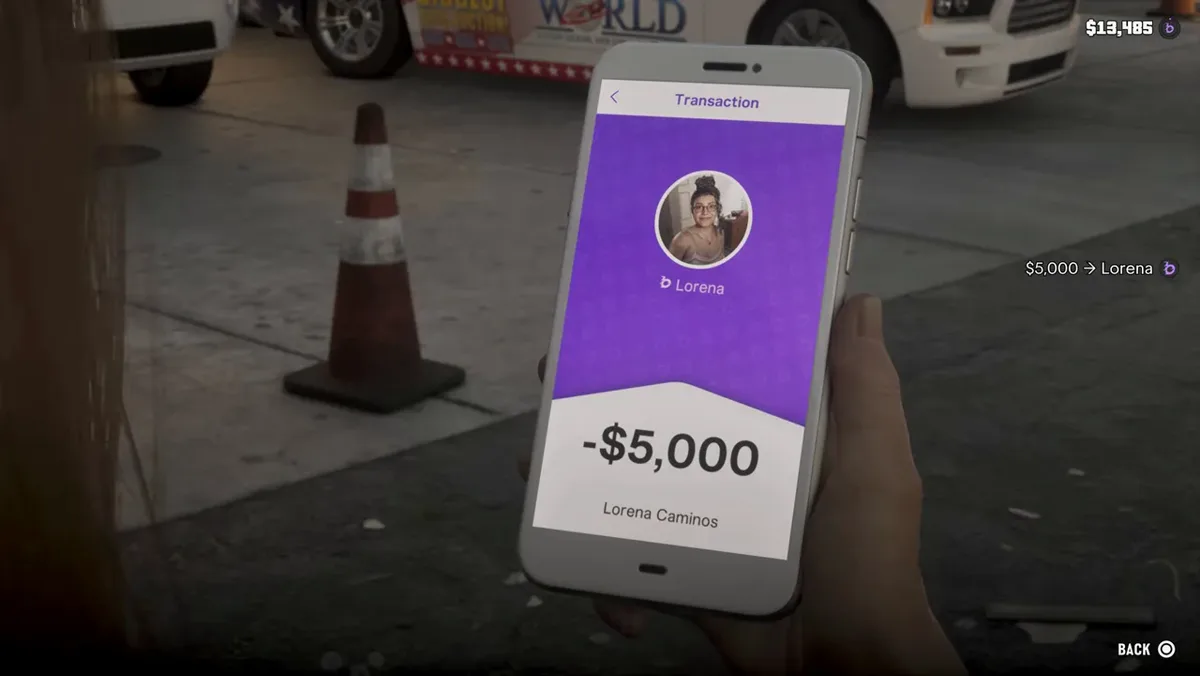
- Select Buck 'Em to send the $5,000 (the transaction screen confirms the payment, and Lorena calls straight away).
First $5,000 payment: confirmation button and transaction display
How to complete Send More Money to Lorena
A few in-game days after completing the first transfer, when you receive a text with photos, Send More Money to Lorena appears in Story.
You can start the second mission as either protagonist, Lucia or Jason. Sending the $5,000 transfer from your Checking Account as Jason shows the payment notification and completes the mission instantly.
- Check Story for Send More Money to Lorena.
- Open the BuckMe app and send $5,000 to Lorena from your Checking Account (a payment notification appears and the mission completes instantly).
Second $5,000 payment: BuckMe screens and transaction display