
Key points from PowerPyx's guide
These points are confirmed in the text of PowerPyx's guide.
| Source | PowerPyx guide |
|---|---|
| Available from | Chapter 1 |
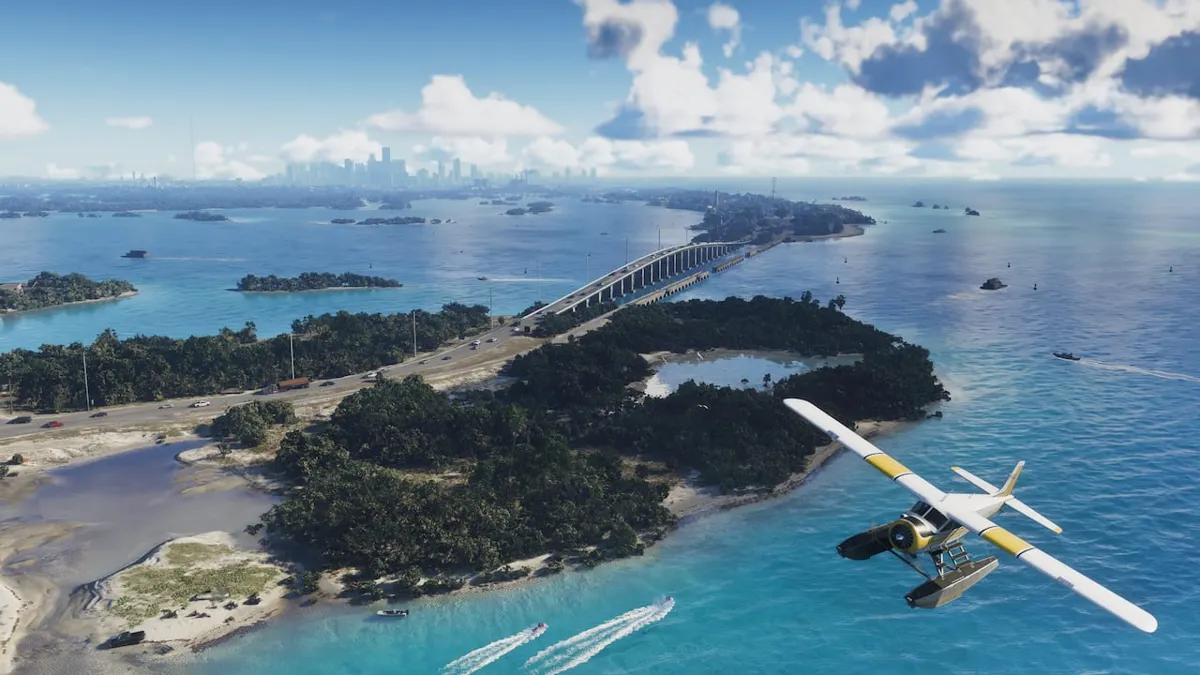
| Aircraft | Biplane crop duster (no specific model name given) |
| Starting point | Airfield near Key Lento; if the plane does not spawn, an airfield in Mariana County |
| Result | Entering an unexplored zone reveals that zone on the map |
| Recording setup (build, hardware, UI language) | Not confirmed |
Why You Should Keep a Manual Save Before Tourist Trap in GTA VI Chapter 1
How to reveal the map with a biplane crop duster
Start during free roam in Chapter 1. If you want to finish exploring in Chapter 1, plan to do so before starting Recalibration.
The aircraft, starting points, and zone reveal are based on PowerPyx's map-reveal guide.
- Check the airfield near Key Lento for a biplane crop duster.
- If the plane has not spawned, head to the airfield in Mariana County.
- Fly the biplane crop duster into a zone whose map has not been revealed yet.
- The zone's map appears; that means it worked.
Why You Should Keep a Manual Save Before Tourist Trap in GTA VI Chapter 1
See the gameplay video on using the biplane to reveal the map (PowerPyx)
Free roam stops from Tourist Trap
According to PowerPyx, free roam becomes unavailable when Tourist Trap starts and returns in Chapter 2. VGC’s Jordan Middler also reports that the final three missions of Chapter 1 run consecutively.
PowerPyx’s requirement list says Tourist Trap starts automatically right after Recalibration. The body of the same walkthrough directs you to speak to Lucia on the beach in southern Key Lento.
Given the different descriptions of how Tourist Trap starts, aim to finish any Chapter 1 exploration during free roam before starting Recalibration.
Early Chapter 2: according to VGC's character-switching guide, you can free-roam as Lucia after Chapter 1 ends. Switching to Jason requires progressing through Chapter 2.
Returning to Key Lento: according to VGC, you can go back after progressing through Chapter 2 for a while.