How to Switch Hat Wear Style in the ITEMS Menu
Under default PS5 controls, highlight a worn cap under ITEMS → HEADWEAR and use the D-pad if WEAR STYLE appears. Jimmy Donnellan (Cultured Vultures) reports that most caps can be flipped backwards this way.
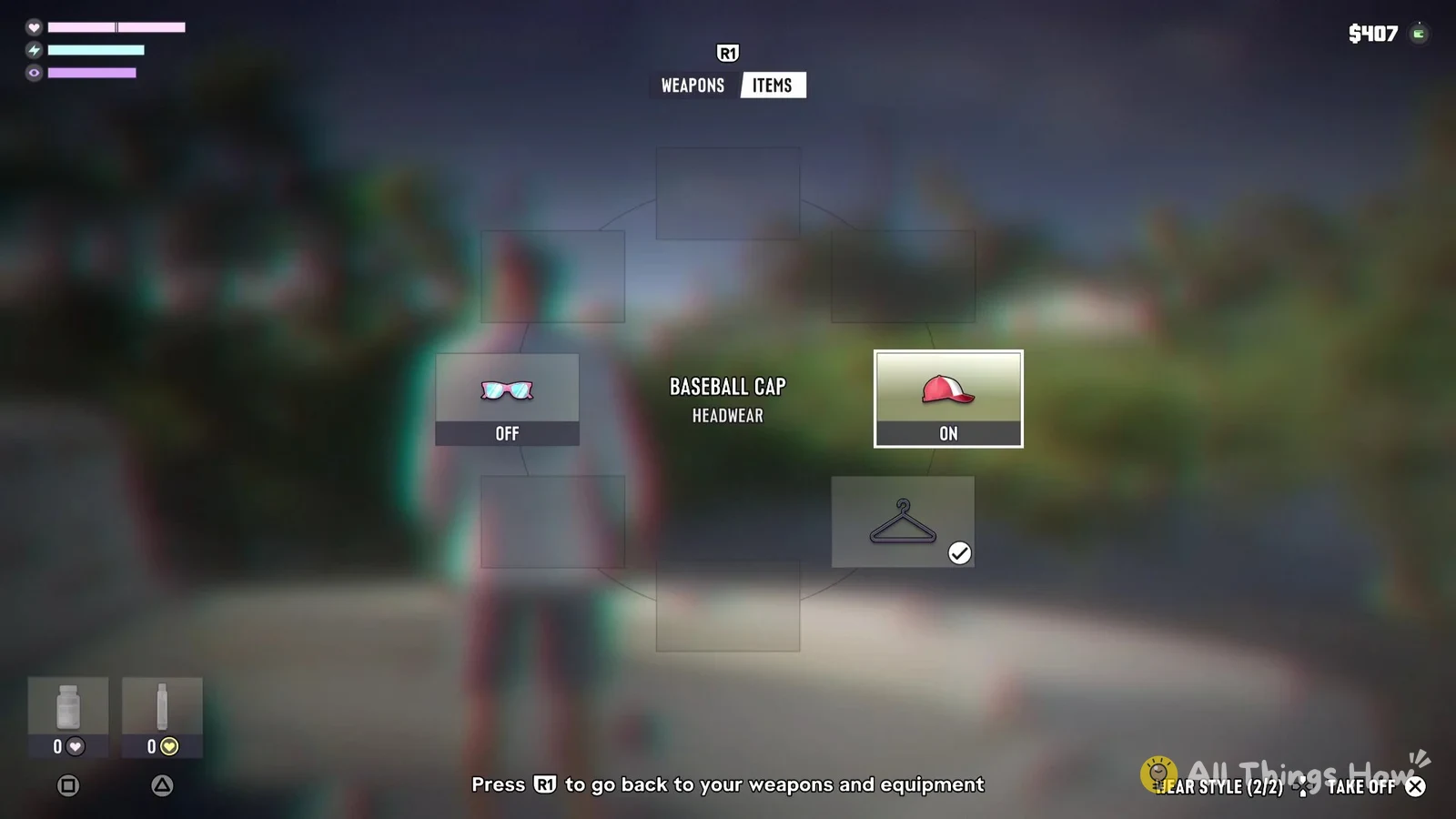
AllThingsHow outlines holding L1, pressing R1 to switch from WEAPONS to ITEMS, and highlighting the slot with the right stick, while the AllThingsHow Staff PS5 capture confirms the WEAR STYLE (2/2) prompt with white Up/Down D-pad arrows on BASEBALL CAP / HEADWEAR (ON).
The r/GTA6 post by u/chrisgoesbleh2 describing wheel and D-pad hat positioning is a single player report.
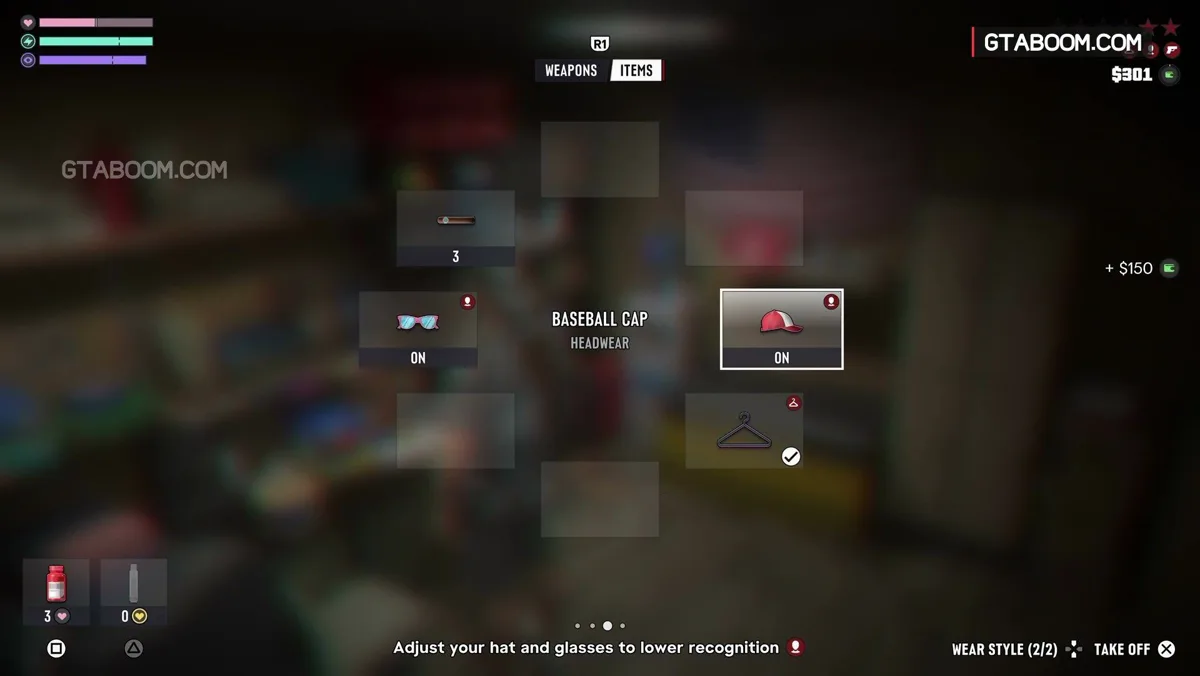
- Using default PS5 controls, wear the cap and hold L1 to open the wheel.
- Keep L1 held and press R1 to switch to ITEMS if WEAPONS is showing, then continue once ITEMS is open.
- Keep L1 held, highlight HEADWEAR with the right stick, and check that its status is ON.
- Keep L1 held and press Up or Down on the D-pad only if WEAR STYLE appears (if the prompt is absent, this procedure does not apply in that screen state).
- Release L1 to close the wheel.
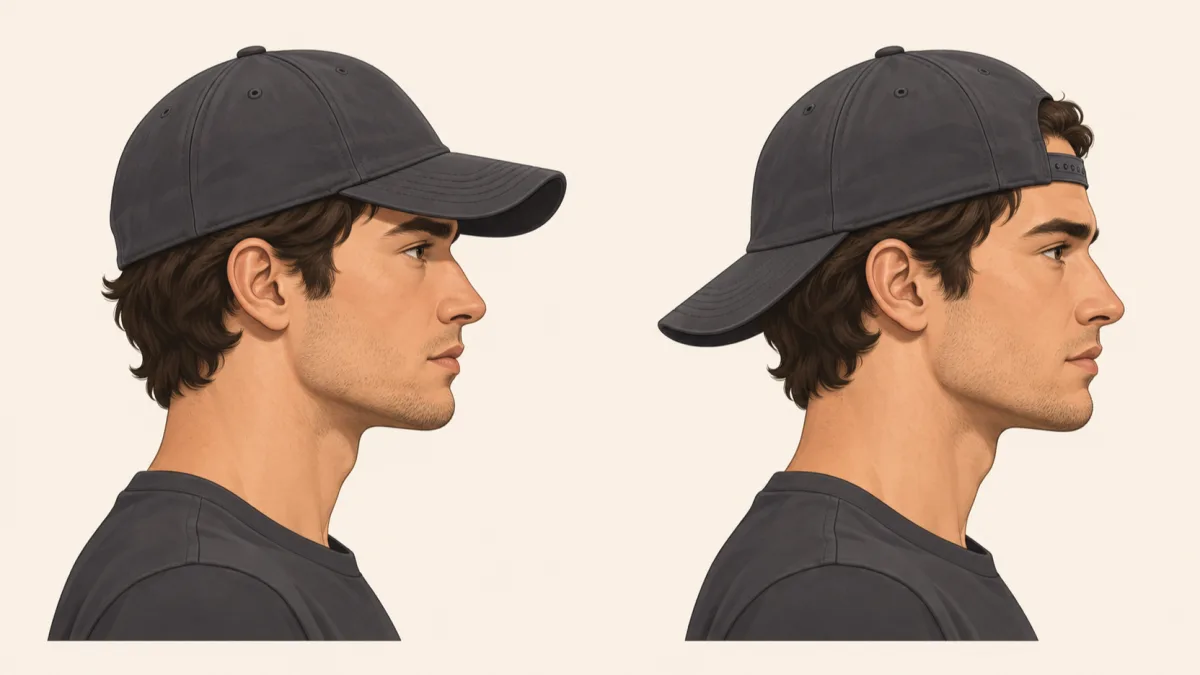
- Check whether the cap's brim faces backwards on the character (which D-pad direction flips it backwards and how the (2/2) label maps to the visual orientation are unconfirmed).
See the PS5 ITEMS wheel with HEADWEAR and the WEAR STYLE prompt
Confirmed On-Screen Prompts and Controls
AllThingsHow Staff's PS5 screenshot shows separate prompts in the bottom-right corner for removing a cap and changing its style. Whether the Xbox headwear slot displays the identical layout has not been verified.
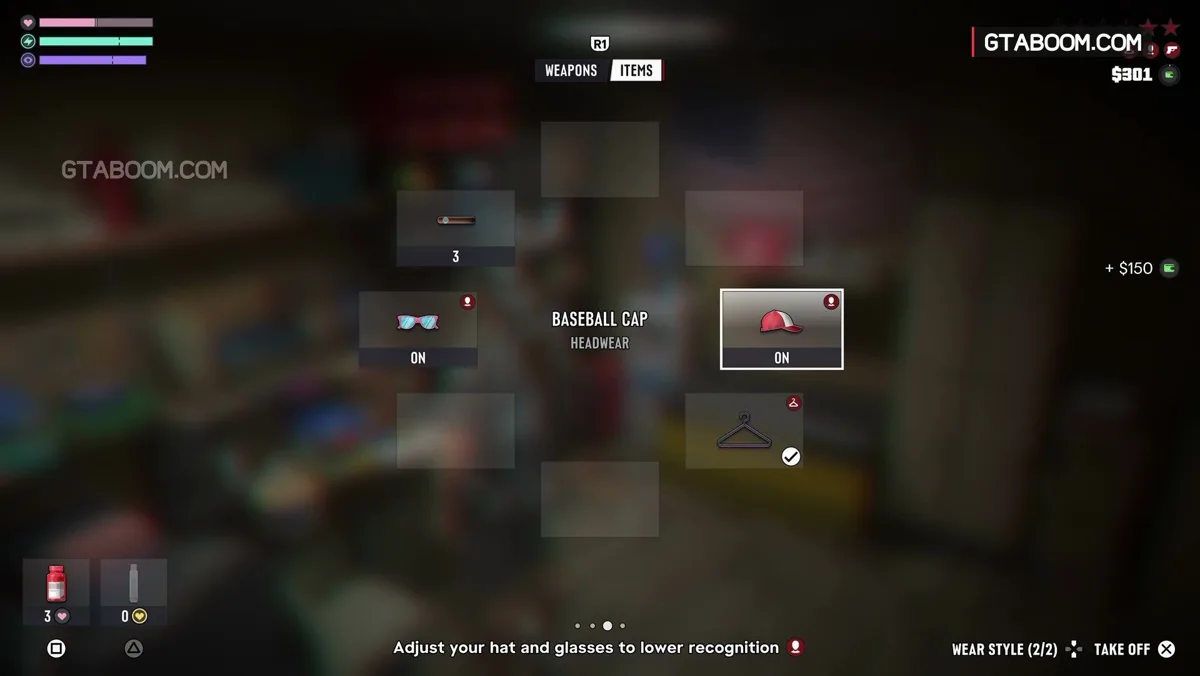
| Observed headwear slot (PS5) | BASEBALL CAP / HEADWEAR at ON |
|---|---|
| Style prompt (PS5) | WEAR STYLE (2/2) with D-pad Up and Down lit white and Left and Right dark |
| Remove hat prompt (PS5) | TAKE OFF displayed separately with × |
| Xbox wheel and tab inputs | Hold LB and press RB per Josh West on GamesRadar for another item; Xbox headwear slot unconfirmed |
See the PS5 cap selection screen and the WEAR STYLE and TAKE OFF prompts
Supported Caps and the Mask Wear Style Indicator
Jimmy Donnellan notes in Cultured Vultures that some clothing slots include a D-pad Wear Style prompt and that most caps can be flipped backwards, though the full compatibility list is unverified.
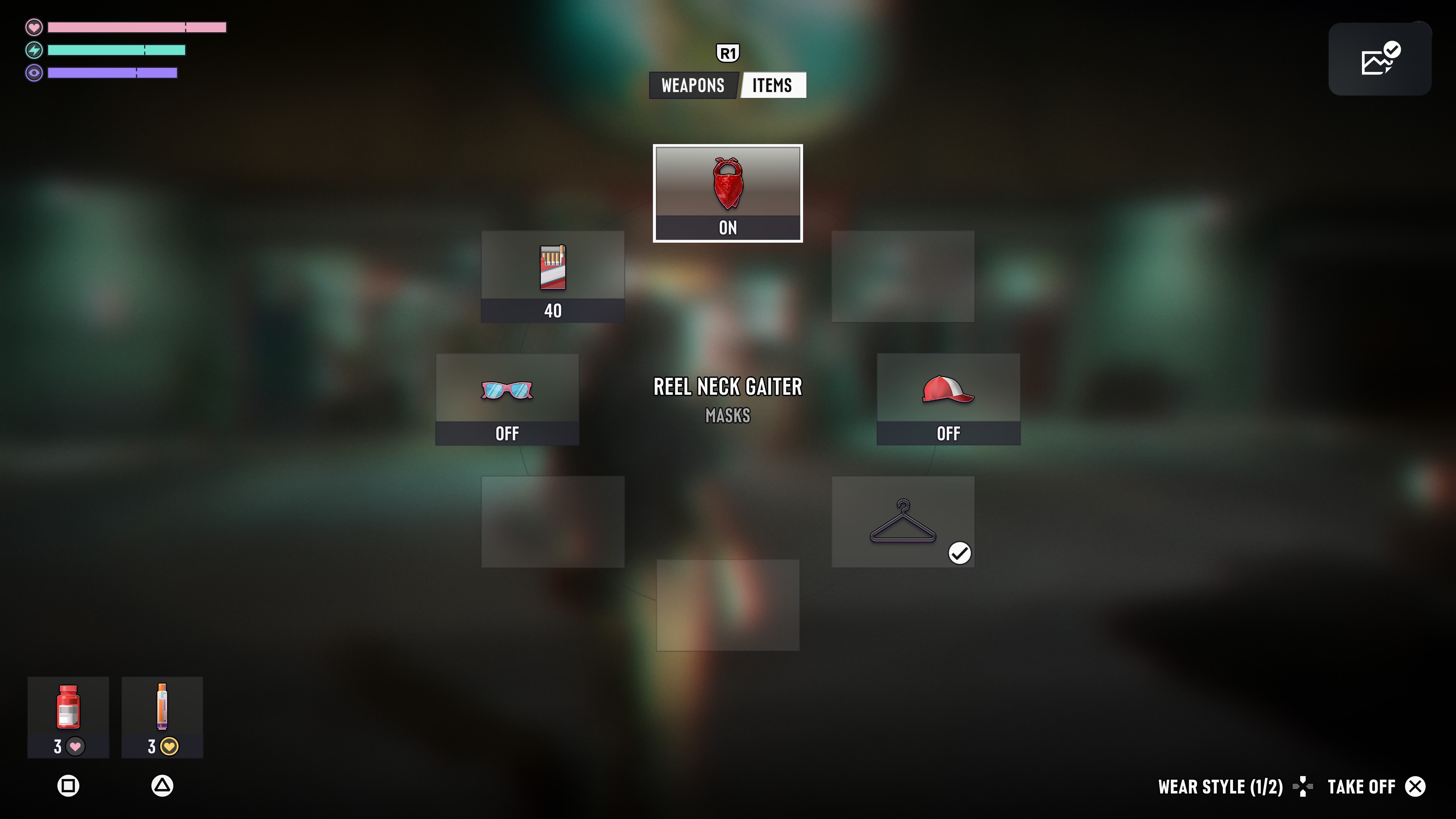
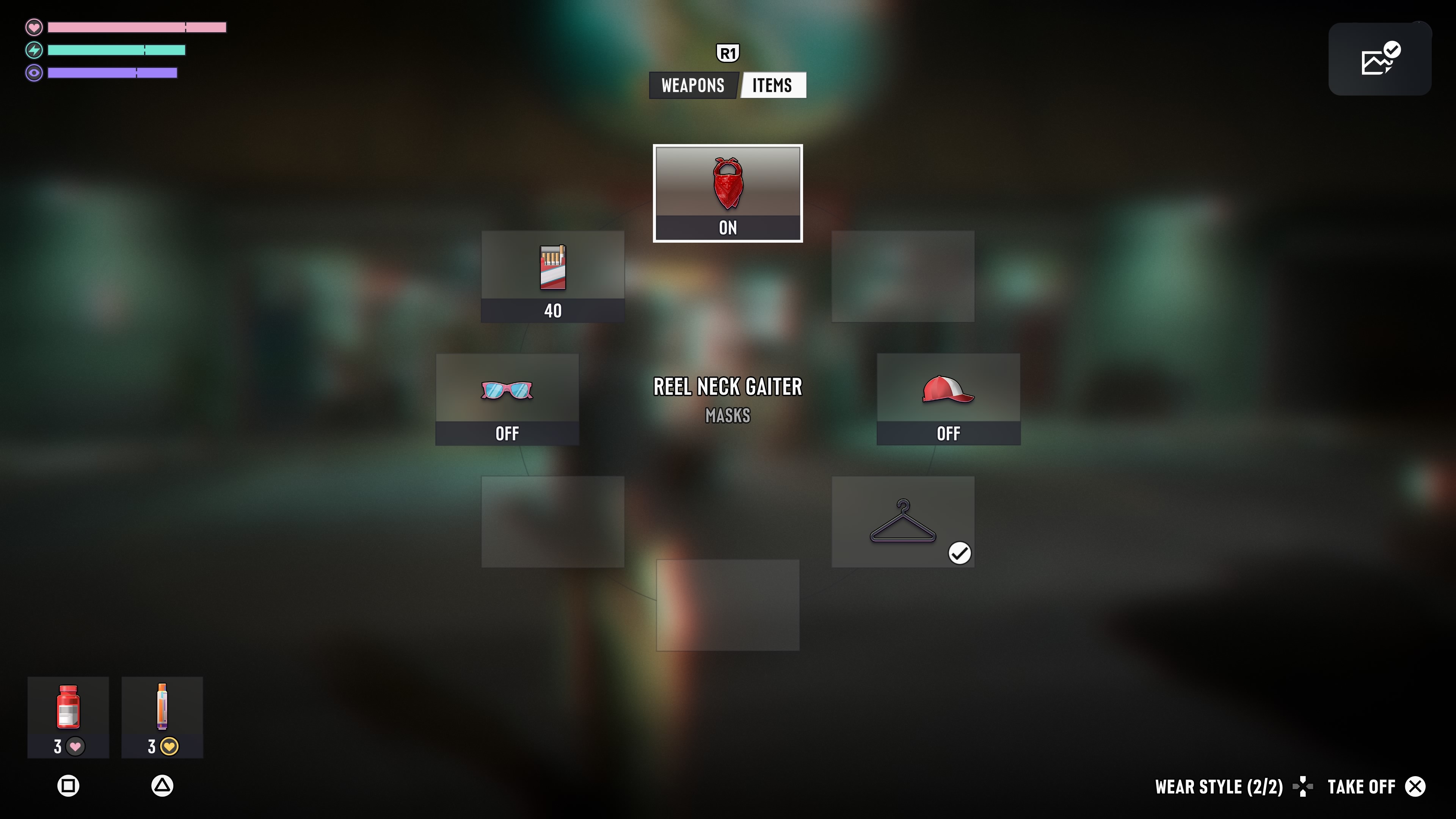
WEAR STYLE is also shown in a single REEL NECK GAITER example under MASKS from GTA Playbook’s English-language PS5 captures (version 1.002.001, dated November 19, 2026).
The first still shows ON and WEAR STYLE (1/2) with the D-pad icon, while the second still shows WEAR STYLE (2/2) with the same mask selected.
See both PS5 ITEMS captures of the same mask showing WEAR STYLE (1/2) and (2/2)
Unconfirmed Details and Source Scope
The referenced cap screen uses an English-language UI with default PS5 controls from an unknown build. Chapter or mission prerequisites, edition differences, and regional applicability remain unconfirmed.
| Before-and-after footage | Continuous video of a cap switching from front-facing to backwards is unconfirmed |
|---|---|
| Specific D-pad direction | Whether Up or Down switches a cap backwards is unconfirmed |
| Full hat compatibility | The complete list of supported headwear beyond Jimmy Donnellan's most-caps note is unconfirmed |
| Xbox headwear display | The Xbox HEADWEAR slot prompt appearance is unconfirmed |