

GTA VI tips for saving, travel and vehicles · Page 8
How to save manually, deposit cash at an ATM, fast travel and register a personal vehicle.
 GTA VI BuckMe: When It Unlocks and How to Deposit CashBuckMe unlocks in Chapter 1's "Buck Me" mission. After "Coming Home", Lucia calls; finish the Fleeca bank visit. Once the bank cutscene takes you home, open BuckMe from the purple B icon on your in-game phone and move the starting $100 to Family Savings. After clearing "Buck Me", start the separate "Deposit Cash Into BuckMe" mission as Jason. Deposit some of your cash at an ATM to complete it.
 GTA VI Fuel System: Do Cars Run Out of Gas and How to RefuelYes. In GTA VI, cars use fuel as you drive and can no longer be driven once the tank is empty, according to Kotaku and PowerPyx. To refuel, stop next to a pump at a gas station. When the "Services" prompt becomes active, hold the button shown in the prompt on PS5, then choose refuel from the menu.
- GTA VI Scooter Bros: Summon Registered Vehicles and Premium Free UsesAfter you complete the Chapter 2 main mission ‘Moses (Take A Vehicle to Moses)’, you can summon registered vehicles through the Scooter Bros app on your phone. Press Up on the D-pad to open the phone. Each request normally costs a fee. Premium costs $12,500 in in-game currency and gives you three free uses per in-game day. You can also spend these free uses on recovering impounded vehicles.
 How to Unlock Character Switching Between Lucia and Jason in GTA VI’s Coffee Break MissionIn GTA VI, free switching between Jason and Lucia unlocks during the final objective of Chapter 2’s Coffee Break. You can switch in free roam after completing the mission, though some missions restrict switching.
- GTA VI Fast Travel Alternative: How to Skip Rides With RydeMeGTA VI does not let you travel instantly by picking a spot on the map. Instead, once you have opened an in-game account and RydeMe appears on your phone, you can use it to call a car. After you get in, you can pay an extra in-game $100 to skip the ride. The regular fare is charged separately.
 How to Set a Waypoint Without Opening the Map in GTA VI on PS5During normal gameplay with the default PS5 controls, hold Down on the D-pad to display nearby shops, missions and other options. Use L1 or R1 to choose a destination and press R3 (Set Destination) to set a GPS route without opening the world map.
 Can You Withdraw From Family Savings in GTA VI? First Three Savings PerksYou can't withdraw money once you transfer it into Family Savings in GTA VI. Transfers start during the Chapter 1 mission “Buck Me” with an initial $100 transfer. According to PowerPyx, the first three savings goals give these perks: $5,000 sets your Checking Account cap to $15,000, $10,000 sets it to $100,000 with 20% off RydeMe, and $100,000 sets it to $500,000 with 20% off garage purchases. Each next goal unlocks after you reach the previous one and progress further in the story.
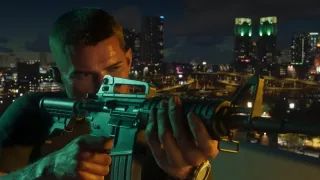 How to Aim Through a Weapon Sight in First Person in GTA VI on PS5On PS5, equip a compatible optic, hold L2 to aim, and press R3 to look through the sight in first-person view (per Push Square). Press R3 again or release L2 to exit the sight view.
 GTA VI Tracker Gauge: What Fills It and Where the Tracker Turns Off in "Clonin’ Keys, Makin’ Gs"In the Chapter 3 mission "Clonin’ Keys, Makin’ Gs", driving the target car shows a red tracker icon above the minimap. According to PowerPyx's walkthrough, driving too slowly fills the gauge around the icon, and once it is full, the car's location is reported to the in-game police. When you enter the area around Randy's showroom, the icon turns gray and the tracker is disabled. The car's full name, "Granforma Zorrusso", comes from Gamer Social Club's preview-based article.
- When does the Key Cloner app unlock in GTA VI?After “Crosstown Traffic” in Chapter 3, the in-game Key Cloner app unlocks during “Clonin’ Keys, Makin’ Gs.” The names below follow the English interface in PowerPyx’s playthrough.
- How to read a vehicle’s name with the GTA VI scanner on PS5During the vehicle search in Chapter 1’s “Unwanted Attention,” use the in-game phone scanner to identify a nearby car. On PS5, point the in-game phone at the mission vehicle and hold R1. Its name appears in the results.
- GTA VI Hit Marker Colors: What Do White, Yellow, and Red Mean?For hit markers shown during an in-game firefight, BlazingBoost's table lists white as a normal hit (a white marker alone does not confirm incapacitation, which is unconfirmed from the table), yellow as enemy incapacitation (down and won't get back up), and red as a kill. Game8 identifies red as defeated and yellow as incapacitated (whether the target survives or stops returning fire in that encounter is unconfirmed from the supplied excerpt), while Eurogamer's Chris Tapsell explains that enemies are fully incapacitated when a yellow hit marker appears over your crosshairs.