What is Adaptive Speed Limiter?
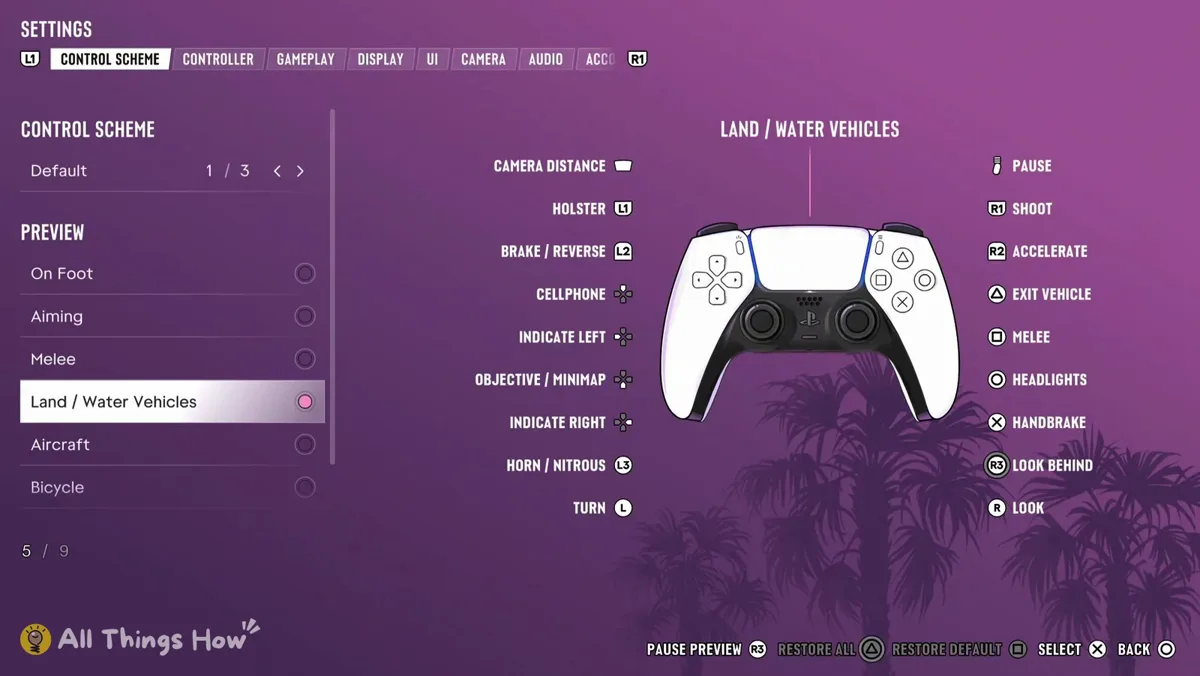
Adaptive Speed Limiter is a PS5 setting that helps you maintain a speed that suits the road you are driving on. In the Default button layout for land and water vehicles, R2 accelerates.
With the limiter set to On, press R2 until you feel resistance and hold it at that point to maintain a speed appropriate for the road.
One PS5 player matched the speed limit on the roads they tried by holding R2 at the first point of resistance.
The car also slowed automatically to the limit when it was going faster and adjusted its pace in valet parking areas.
Where to find the limiter in PS5 settings
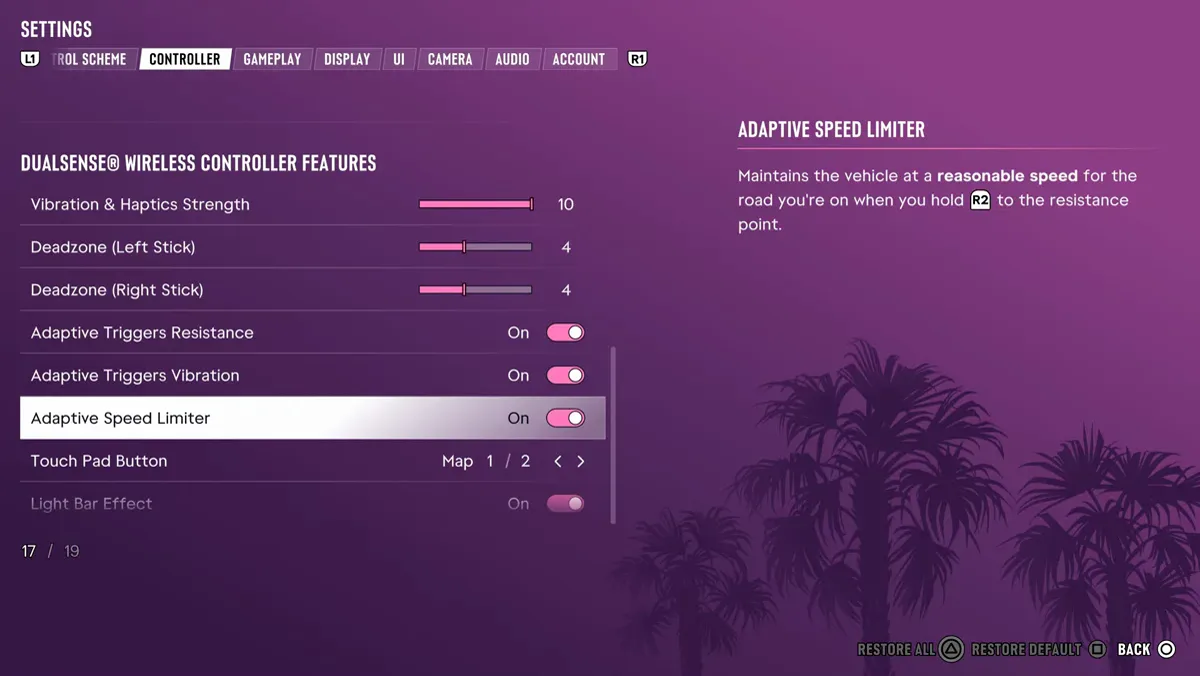
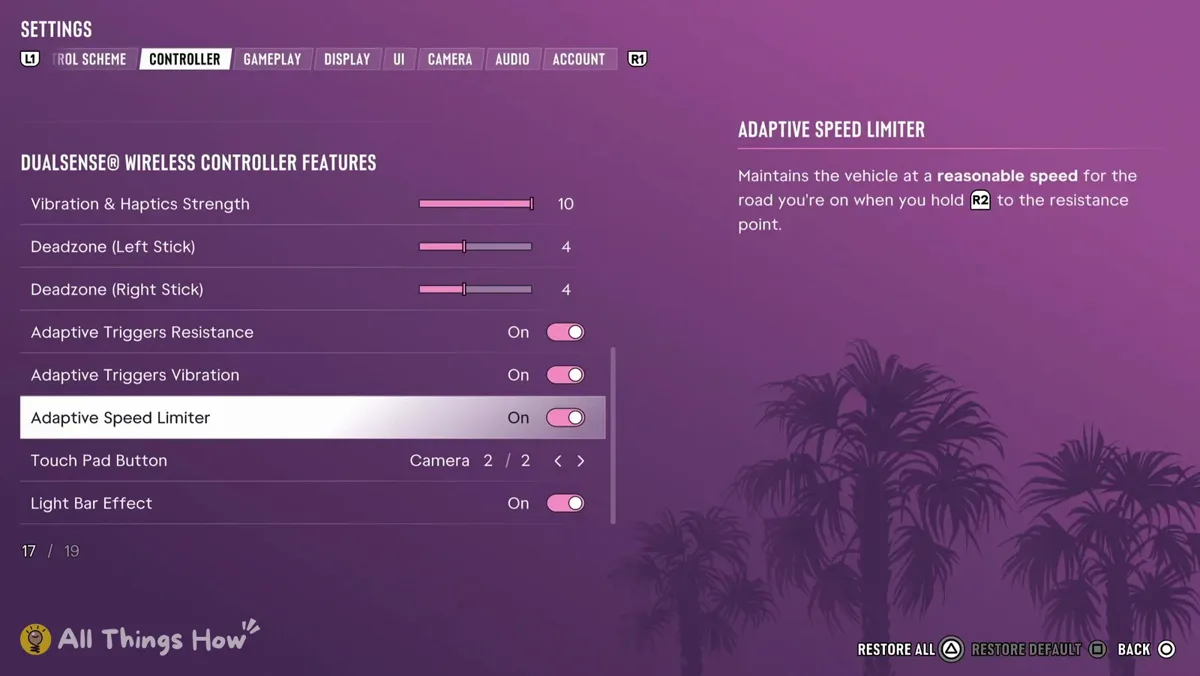
Open the in-game Settings in GTA 6 and go to the Controller tab. You can turn the limiter on under DualSense Wireless Controller Features, which groups options for the PS5 controller.
See “PS5 deadzone, vibration, adaptive trigger, and camera inversion settings” for trigger adjustments and [how to turn off Adaptive Speed Limiter during the chase](missions/hey-arnold-chase-adaptive-speed-limiter) for the “Hey Arnold!” mission.
| Platform | PS5 |
|---|---|
| Feature group | DualSense Wireless Controller Features (listed as DualSense features) |
| Adaptive Speed Limiter | On |
| Adaptive Triggers Resistance | Separate setting for trigger feel |
| Adaptive Triggers Vibration | Separate setting for trigger vibration |
| Vehicle control layout | Default (R2 is Accelerate) |
How to drive using the R2 resistance point
With the standard PS5 vehicle controls, R2 is the accelerator for both land and water vehicles.
See “Land and water vehicle controls on PS5” for the standard vehicle inputs.
- Open DualSense Wireless Controller Features under the Controller tab in the in-game Settings.
- Set Adaptive Speed Limiter to On.
- Get into a car.
- While driving on a road, press R2 until you feel resistance.
- Hold R2 at that point to maintain a speed that suits the road.
Slowing to the speed limit and adjusting in valet parking areas
In a PS5 player's trial, holding R2 at the first point of resistance matched the speed limit on the roads they tried. If the car was already going faster, it automatically slowed to the limit.
The car also adjusted its pace in valet parking areas during the same trial.
Which specific roads and valet parking areas support this behavior remains unknown, as does how the limiter behaves with Adaptive Triggers Resistance set to Off.
Player post on matching the speed limit, slowing down, and valet parking areas