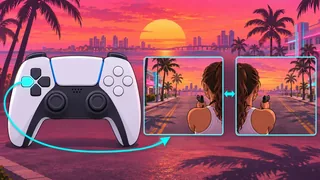
How to use Quick Throw while aiming a firearm
While aiming a firearm on foot, use Quick Throw to throw your last equipped throwable explosive. According to The Click, you need to select a throwable explosive first before using the input while aiming.
For the Default preset, the PS5 input is corroborated across GTABase (taken from the game's control scheme screens), Shacknews (by Sam Chandler), and How To Video Game (read from a PS5 copy).
- On foot, open the equipment wheel by holding L1 on PS5 or LB on Xbox Series X|S in Default or Classic, or R1 on PS5 or RB on Xbox Series X|S in Left-Handed (preset bindings per Insider Gaming). Following The Click's sequence, select a throwable explosive in your inventory, then release the wheel button (the exact input for switching back to a firearm for Quick Throw is unverified).
- With a firearm equipped, hold L2 on PS5 or LT on Xbox Series X|S in Default or Classic. In Left-Handed, hold R2 on PS5 or RT on Xbox Series X|S.
- While still aiming a firearm on foot, hold the Quick Throw button listed for your platform and preset in the next section (R1 on PS5 or RB on Xbox Series X|S for Default and Classic; L1 on PS5 or LB on Xbox Series X|S for Left-Handed) to throw your last equipped throwable explosive.
The Click’s equipment-wheel instructions and Quick Throw controls
Quick Throw buttons by platform and control scheme
GTABase lists the Default button assignments for both PS5 and Xbox Series X|S from the game's control scheme screens, matching the PS5 tables from Shacknews and How To Video Game.
For alternate presets, Insider Gaming reports the Classic and Left-Handed assignments under Aiming with the combined label Cover & Quick Throw (Hold).
| Default — PS5 | Hold R1 |
|---|---|
| Default — Xbox Series X|S | Hold RB |
| Classic — PS5 | Hold R1 (Cover & Quick Throw (Hold)) |
| Classic — Xbox Series X|S | Hold RB (Cover & Quick Throw (Hold)) |
| Left-Handed — PS5 | Hold L1 (Cover & Quick Throw (Hold)) |
| Left-Handed — Xbox Series X|S | Hold LB (Cover & Quick Throw (Hold)) |
What remains unverified about Quick Throw
These details come from cross-checking published control tables and guide text, as the referenced X post by @ArtoCiel_Lost could not be retrieved.
No continuous public demonstration showing the pre-selected item, the aiming input, and the throw result together has been verified, nor has the behavior when no explosives remain.
Consulted sources also do not specify chapter, story progress, game edition, or version.