How to Select Unique Weapon Variants in Manage Weapons
According to GamesRadar+’s launch guide, you can re-select an acquired unique weapon variant by choosing Manage Weapons at a green Ammu-Nation locker. Only some stores have a locker. The guide excludes pawn-shop locations.
- Interact with the green locker at an Ammu-Nation store that has one.
- Choose Manage Weapons to see the unique variants you’ve discovered or purchased.
- Look for a gold gun icon in the bottom-left corner of an item.
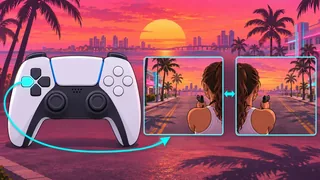
- Highlight the marked item and press Triangle/Y on your controller to open its submenu.
- Choose the variant you want from the submenu.
See the weapon locker screen for equipping variants (GamesRadar+)
Are Unique Weapon Variants Unlocked for Both Jason and Lucia?
According to GamesRadar+’s launch coverage, both Jason and Lucia can use a unique weapon variant once it has been acquired. Ordinary items you pick up follow different ownership rules.
| Eligible characters | Both Jason and Lucia |
|---|---|
| Unlock status | Permanent once discovered or acquired |
| Base weapon purchase | No prior purchase required |
GTA VI Tower Interior: Thelma Card and the Shrewsbury Name in the Equipment Wheel
What color are unique names, and do they accept attachments?
According to GTA 6 Notebook, unique item names appear in yellow in both the Loadout and weapon locker menus. Look for the color of the name in either menu.
The guide also reports that unique items do not accept attachments. You can still reselect an owned variant in the locker.