

Launch Play Examples from IGN: Posts That Added Map Markers
According to IGN, when Luke Reilly viewed a Snapmatic post recruiting a pilot at a farm, a map marker appeared even in an area he had not explored yet.
The post also led him to a new mission chain; IGN does not say exactly when the missions unlocked or whether other conditions applied.
The same article notes that Simon Cardy also found an opportunity on social media and that it appeared on the map automatically.
Both are launch play examples presented by IGN, and neither specifies the platform or build used.
How to Check Snapmatic Posts on Your Phone
According to Kotaku's article text, Snapmatic can be opened from early in the game to browse NPC posts.
The screenshot in that article is an example of the post screen; the platform it was captured on cannot be determined from the article or image.
A launch PS5 screenshot (English UI) on ViceManual shows a post from @badlife999 of a bike jumping at a quarry in North Mariana County, along with a location display.
This is the screenshot where the platform and UI language are confirmed.
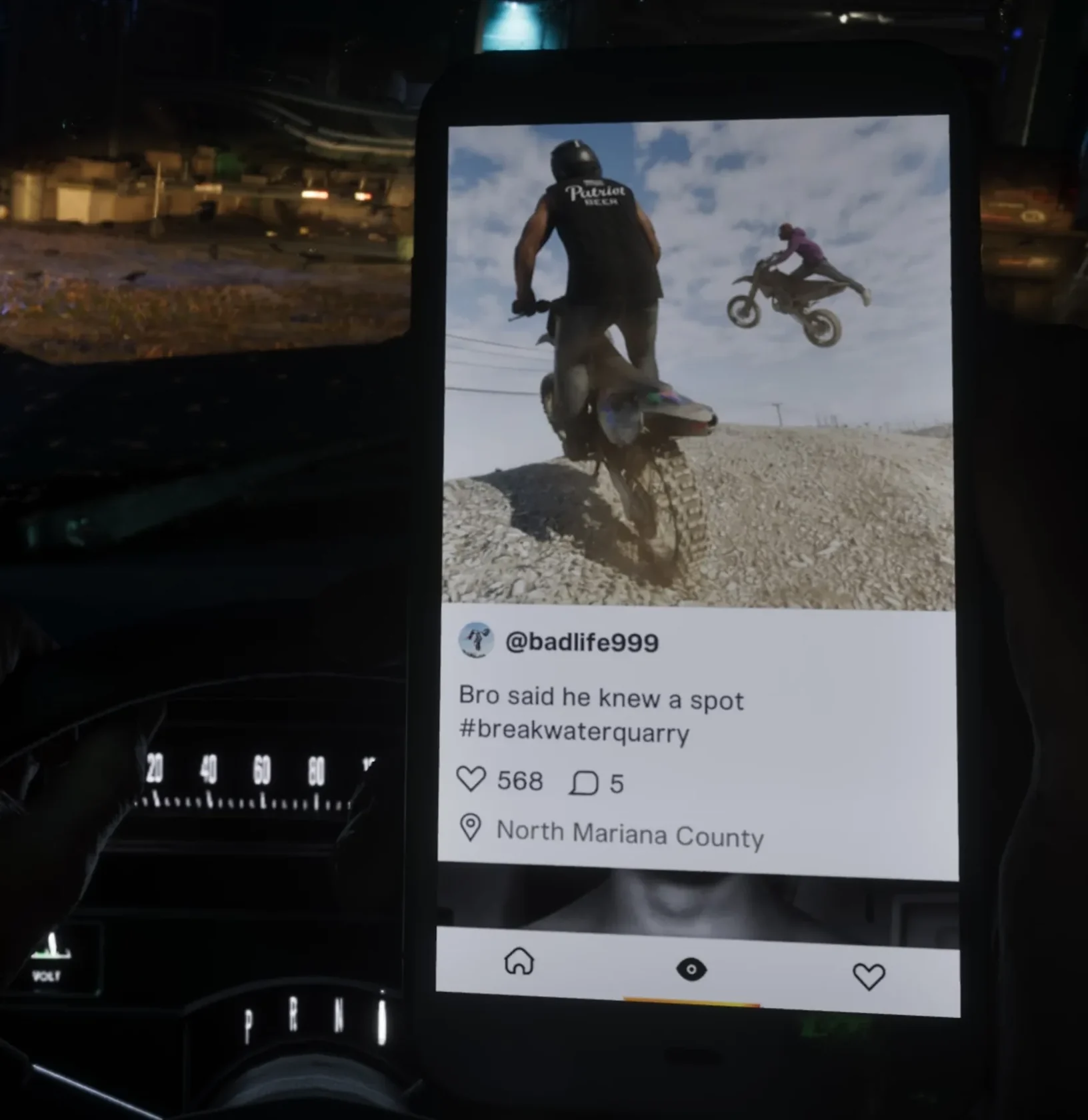
- Open Snapmatic on your in-game phone (on PS5, press up on the D-pad to bring up the phone, select the app, and press X; confirmed by ViceManual on the launch PS5 version).
- Browse NPC posts and check their content, such as recruitment posts, and any location display.
- Open the map and check whether a new marker matching the post you viewed has appeared (markers were reported for some posts).
GTA VI (PS5): How to Open Phone Reminders and What They Show
Pre-Launch Reports vs. Confirmed Conditions
In a pre-launch preview summary, TGG said that some post locations may let you see events in progress.
The summary gives no specific example through to arrival and does not indicate that TGG witnessed this firsthand, and the behavior has not been confirmed in the retail version.
Here is what each source confirmed, and under which conditions.
| IGN (map markers from some posts; in Reilly's case, a lead to a mission chain) | Launch play examples presented by IGN; platform, build, and exact unlock conditions not specified |
|---|---|
| Kotaku (Snapmatic browsing from early game) | Article text; screenshot platform cannot be determined |
| ViceManual (post screen with location display; opening the phone) | Launch PS5 version; English UI |
| TGG (events possibly in progress at post locations) | Described in pre-launch preview only; unconfirmed in retail |
How to Check the Current Time on Your In-Game Phone in GTA VI