Why There Is No Vignette Toggle and What Rockstar Fixed
Rockstar said GTA 6 had no vignette toggle in the Wccftech interview published November 18, 2026 (EST). In that interview, Michael Kane explained that the darkened screen corners were an artistic choice.
Kane also stated that Rockstar identified and fixed an issue where the vignette became stronger than intended under certain circumstances.
However, which build includes that fix, when it releases by platform, and any platform-specific differences remain unconfirmed.
How One Report Reduces Vignette Visibility in Display Settings
In one report from Tpose Gaming's PS5 and Xbox Series X|S guide, Alex March said he noticed a substantial visible difference after lowering the three Visual Effects sliders.
Separately, he described raising the SDR setting under Brightness Calibration as making the darkening slightly less noticeable, noting that the right value depends on your display.
The console, display, and build used for his comparison are unconfirmed.
How much changing each Visual Effects slider individually alters the base vignette has not been measured or confirmed. Separately, Dexerto's console settings guide recommends different values for those same sliders.
- Open the pause menu.
- Select Settings.
- Open Display.
- Find the Visual Effects group on the Display screen.
- Set Player Status Effects Intensity, Hit Effects Intensity, and Awareness Effects Intensity to 1 (Tpose Gaming lists 5 as the default for each). If you want stronger awareness warnings, leave Awareness Effects Intensity higher.
- If you want to try the optional SDR adjustment, open Brightness Calibration under Display.
- Following Tpose Gaming's example, change the SDR value from 15 to 20 on the settings scale.
- Check your screen to see how the dark edges look after the adjustment.
| Player Status Effects Intensity | Controls status effect intensity such as low health; Dexerto console guide recommends 4 |
|---|---|
| Hit Effects Intensity | Controls hit effect intensity; Dexerto console guide recommends 4 |
| Awareness Effects Intensity | Controls awareness indicator intensity; Dexerto console guide recommends 5 |
PS5 Display menu and reported Visual Effects and SDR adjustments
Do Sunglasses Cause the Vignette and How to Test With Loadout
Tpose Gaming's Alex March reported that the vignette looked slightly stronger with sunglasses on and remained visible after he took them off.
A player post from the Global edition archived on gta6matome.blog.jp similarly noted darkening at the top of the screen even while shirtless with no accessories equipped.
Measured differences with and without sunglasses, as well as any variation across other regions or editions, remain unconfirmed.
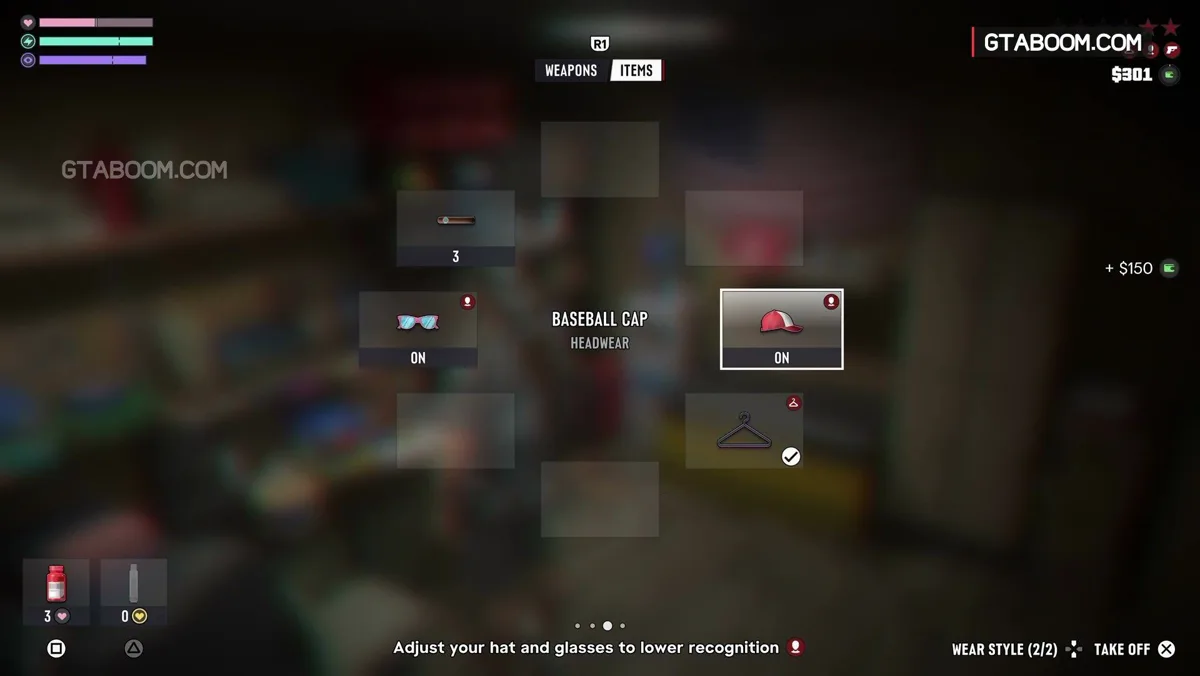
- Start with sunglasses equipped and check the screen at your chosen spot and lighting before removing them.
- Remove your equipped glasses using the Loadout wheel (specific control inputs and menu labels are unconfirmed).
- Compare the screen under the same lighting in the same spot.