
How to turn off Adaptive Speed Limiter on PS5
On PS5, if your car can't go above 20 mph during the "Hey Arnold!" chase, turning Adaptive Speed Limiter Off in the controller settings improved the issue for one player.
Reddit user PleadingFunky posted these steps in r/GTA6unmoderated and in the r/GTA6 launch day bugs and glitches megathread.
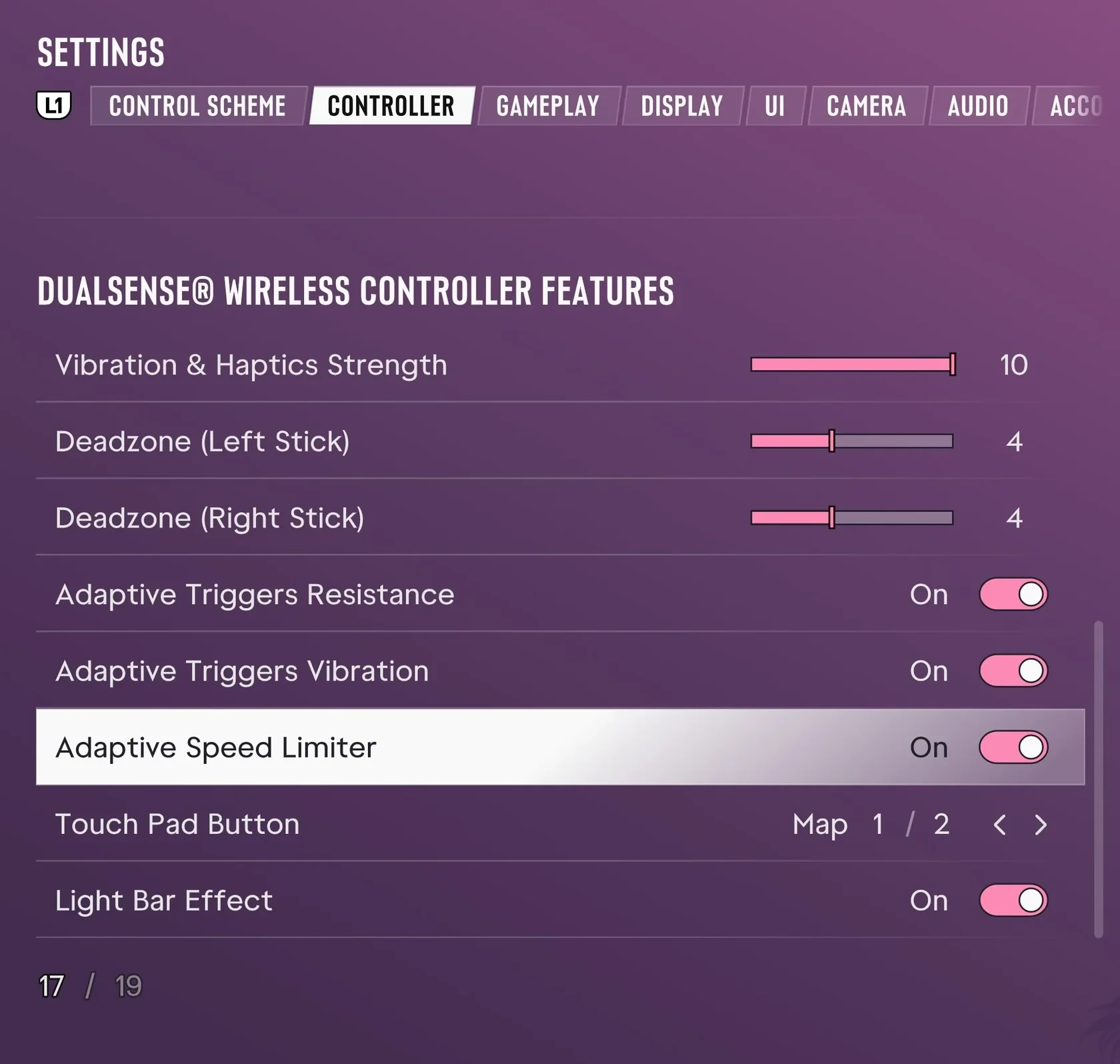
- Open Settings.
- Select Controller.
- Scroll down to DualSense Wireless Controller Features.
- Turn Adaptive Speed Limiter Off.
Capped at 20 mph Only During the Chase, Even With a Full Tank
According to PleadingFunky, the car accelerated normally before the chase and had a full tank, but once the chase began it would not go above 20 mph, so the player could not catch the target or clear the jump.
The player said the first chase attempt succeeded, then failed 5 to 6 times in a row after restarting from a checkpoint. Whether the restart causes the cap has not been confirmed.
Does It Work on Xbox or Other Controllers? What Remains Unverified
Treat this workaround as an unverified player report rather than official troubleshooting guidance. All details come solely from two English Reddit posts by PleadingFunky.
| Platform reported | PS5 |
|---|---|
| Xbox status | Unconfirmed (poster presumed a different name on Xbox; setting availability and effect unverified) |
| Other controllers | Reproduction on another controller not verified |
| Game version and region | Not stated in the report |