How to Locate Your Autosave in the PS5 Load Game Menu
Your autosave is the slot whose name starts with (Autosave) in the GAME / LOAD list.
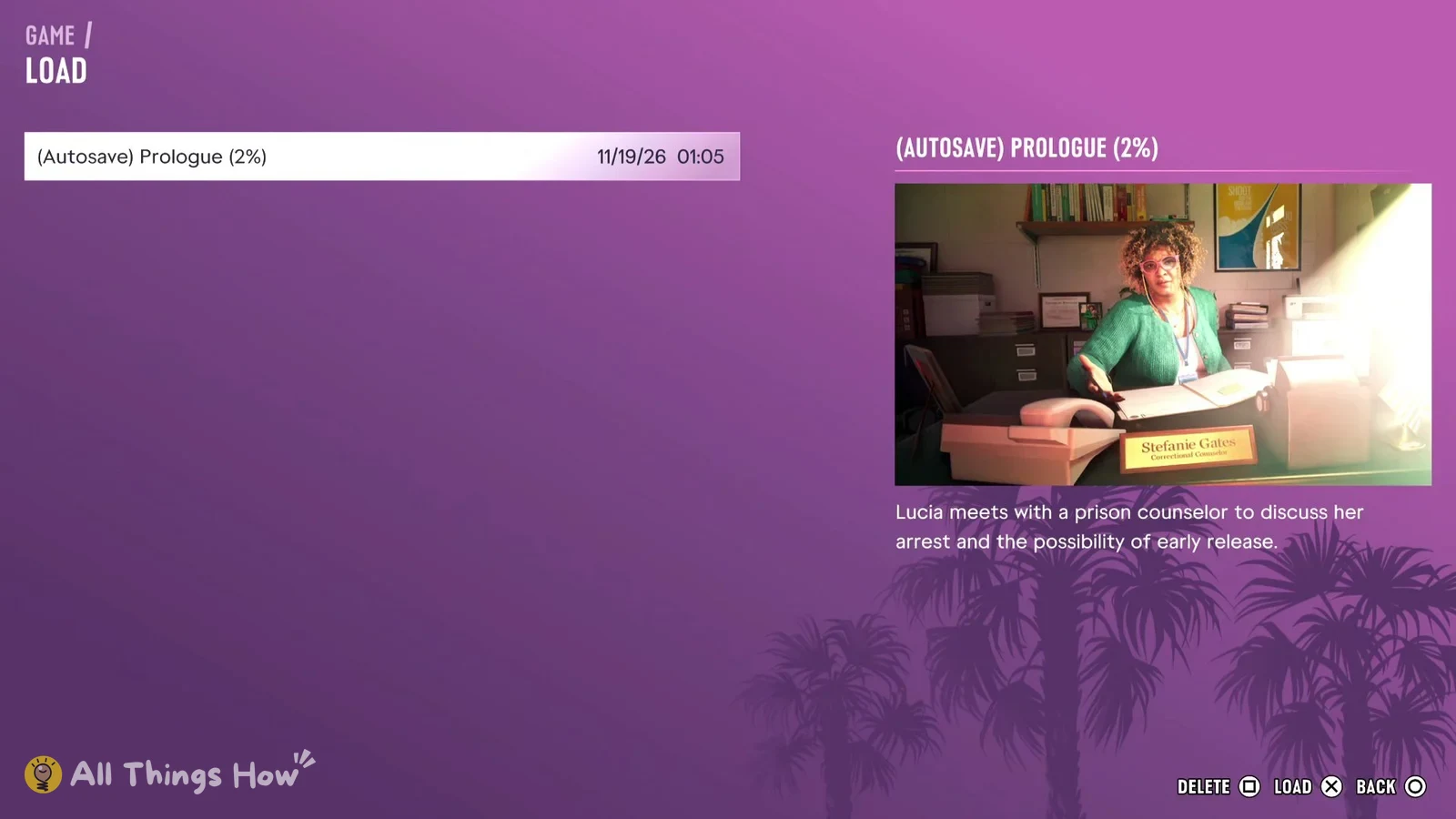
All Things How’s screenshot of the English UI on PS5 at launch shows an image and description on the right while the slot is highlighted. You can identify the save without pressing LOAD × at the bottom right.
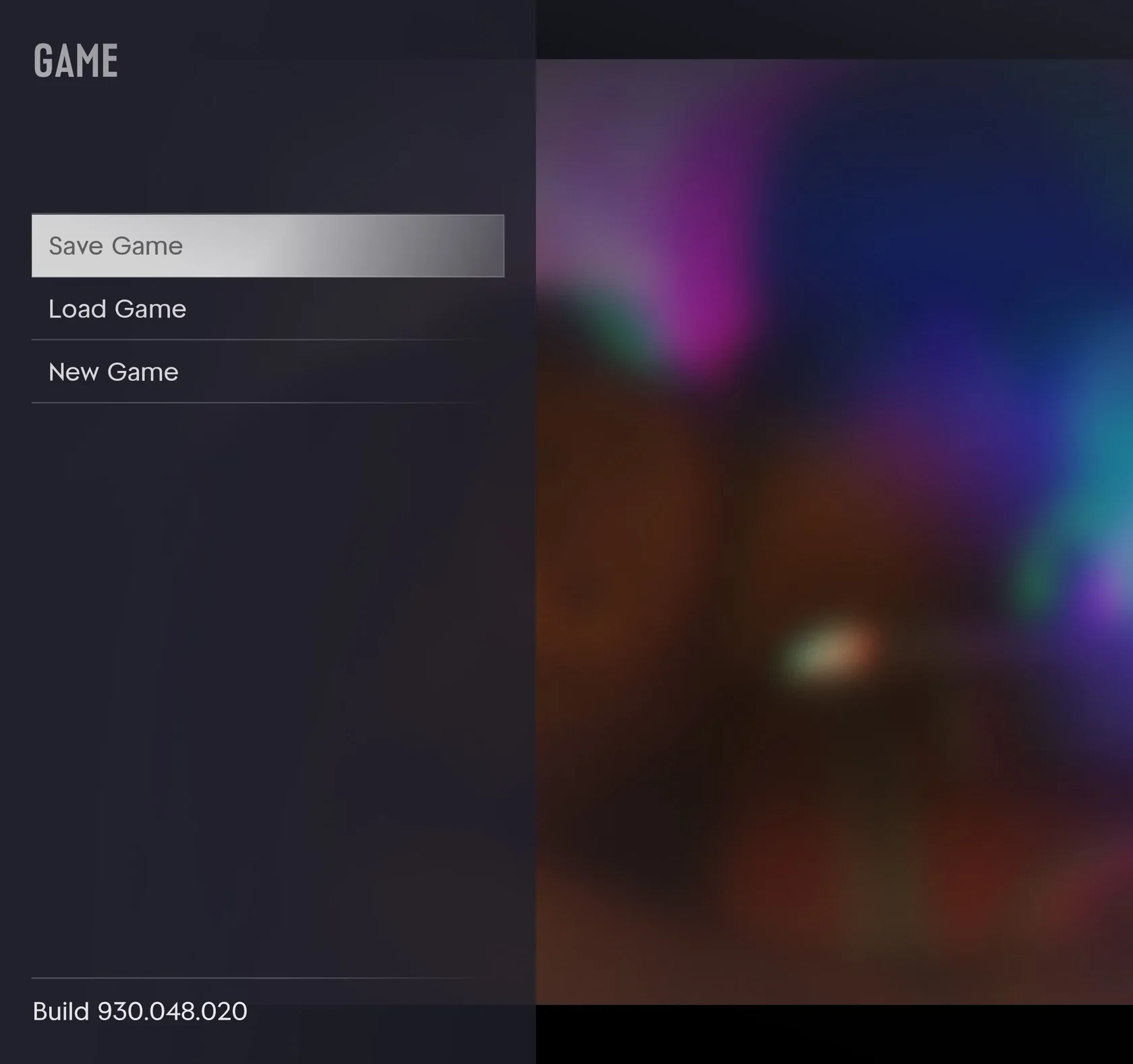
- Press OPTIONS on your PS5 controller during gameplay to open the pause menu.
- Choose Game.
- Select Load Game to open the GAME / LOAD screen.
- Highlight the slot whose name starts with (Autosave) and check the image and description on the right.
How to Save Manually in GTA VI on PS5 and Why Save Game Can Be Grayed Out
What the Autosave Slot and Preview Display
In a screenshot All Things How published of the English UI on PS5 at launch, the highlighted slot is (Autosave) Prologue (2%). An image and an English description appear on the right.
The description refers to Lucia’s meeting with a prison counselor. The screenshot does not show when the game wrote the autosave during the Prologue or where gameplay resumes after loading it.
| Top-left screen header | GAME / LOAD |
|---|---|
| Highlighted slot example | (Autosave) Prologue (2%) (2% indicates this save's progress) |
| Timestamp to the right of the slot | 11/19/26 01:05 (apparently in month/day/year format, timezone unknown) |
| Right-side preview | An image of a desk nameplate reading Stefanie Gates and an English description of Lucia speaking with a prison counselor about her arrest and possible early release |
| Bottom-right load prompt | LOAD × (shown as a separate action while still viewing the list) |
See the autosave slot and preview on the Load Game screen (All Things How)
Unconfirmed UI Languages, Platforms, Builds, and Regions
All Things How’s guide covers the English UI on PS5 at launch and shows one save. Whether slot labels, layouts, or timestamps differ in the Japanese UI, on Xbox, or across builds or regions remains unconfirmed.
| Confirmed scope | PS5 at launch in the English UI (All Things How guide and one save screenshot) |
|---|---|
| Japanese UI slot label | Unconfirmed |
| Xbox display | Unconfirmed |
| Build, region, and timezone | Unknown |