

GTA VI game info, controls and story chapters · Page 3
Grand Theft Auto VI editions, platforms, controls and story chapters.
 Can GTA VI's New Zealand Region Trick Get Your PSN Account Banned?The UNILAD Tech, VGTimes, and Tech4Gamers reports do not establish that trying to play GTA VI early using the New Zealand region on PlayStation (PSN) caused any account suspensions. UNILAD Tech attributes the suspension reports to multiple posts on X, and VGTimes notes reports that some notices show error code WS-116331-5. However, these reports do not confirm the cause or any regional link, and no official statement had appeared as of Tech4Gamers' report.
 GTA VI: The Festival (Miami): Door Time in JST, Lineup, Livestream and CharitiesGrand Theft Auto VI: The Festival takes place on Saturday, November 21, 2026, at Mana Wynwood in Miami, Florida. Doors open at 4:00 PM EST (UTC-5), which is 6:00 AM JST on Sunday, November 22. As of November 19, 2026, we found no official livestream announcement. All proceeds from ticket sales will go to local Miami charities, and Rockstar Games named nine recipients.
 Is Sprint R3 or L3 in GTA VI? Default PS5 On-Foot ControlsIt's L3 (left stick press), not R3. In the default PS5 DualSense on-foot controls, press L3 while walking to run and press L3 again to sprint, per the in-game tutorial captured by ViceManual. Holding R3 (right stick) looks behind while on foot. This covers PS5, DualSense, the default layout, and the default Movement Speed setting of Walk only.
 GTA VI PS5: 55 Trophies and How to Unlock PlatinumGTA VI on PS5 has 55 trophies, including 1 Platinum named "Vice Got a Price!" According to PowerPyx, it unlocks after earning the other 54 trophies in the PS5 single-player game. Based on the PS5 trophy list checked on November 19, 2026; region and build differences are unconfirmed.
 GTA VI PS5 Aiming, Shooting and Aim Assist SettingsAccording to Shacknews, the default PS5 controls have you hold L2 to aim while on foot with your weapon drawn, then press R2 while still holding L2 to fire. In ViceManual's record of the PS5 launch settings in the English UI, the Targeting setting, which sets the targeting mode, defaults to Partial, where your aim drifts toward nearby targets without locking on. Aim-assist strength is adjusted separately with the Aim Assist Strength slider. GamesRadar+'s Josh West, who played on PS5 Pro, says aiming demands more precision.
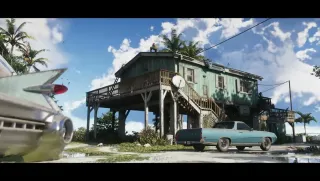 GTA VI Has 5 Story Chapters, and Safehouses Move as You ProgressGTA VI's main story has five chapters. Jason and Lucia's safehouses move as the story progresses. This article uses the move from Chapter 2 to Chapter 3 as an example. According to PowerPyx, starting "Checking Out" means the Chapter 2 base, Starlet Motel, can no longer be used as a base, and completing Chapter 3's "Welcome to Vice City" makes Room 201 at Bayside Apartments your base.
 How many sidearms and longarms can the GTA VI loadout hold?According to GTA VI’s in-game help, your loadout can hold up to two sidearms and two longarms at the same time. The WEAPONS tab pictured by All Things How shows eight selection slots, including empty ones.
 How to Pronounce Leonida in GTA VI (and How It’s Written in Japanese)TGG’s pre-launch preview notes render the name Leonida as “Lee-Oh-Nigh-Da,” roughly lee-oh-nye-da. PlayStation’s Japanese product page spells the state’s name レオナイダ州 (Leonida State).
 How to Change Radio Stations While Driving in GTA VITo change radio stations while driving in GTA VI, hold D-pad Left and cycle through stations with L1/R1 on PS5, LB/RB on Xbox, or the right stick. Release D-pad Left to play the selected station. This sequence comes from Josh West's retail guide on GamesRadar+, and ViceManual's PS5 "Driving" controls list confirms the D-pad Left hold.
 How Long Is One In-Game Day in GTA VI in Real Time?According to PowerPyx, one in-game minute in GTA VI takes six real-world seconds. At that rate, one in-game day would take about 2 hours and 24 minutes. The article does not include a measurement spanning a full in-game day.
 GTA VI Criminal Profile Stages: What Moves Them, How to Check, Irredeemable, and HUD NotificationsGTA VI shows a separate Criminal Profile for each protagonist, with five stages in the English UI: Professional, Hardened, Violent, Psycho, and Irredeemable. According to PC Gamer, your stage depends almost entirely on how often you kill people. GamesRadar+ reports that you can move freely among the four tiers from Professional to Psycho, and that from Psycho onward police open fire faster and you can no longer surrender. To check your current stage, select a protagonist on the map's Jason & Lucia tab, or hold D-pad right during gameplay. A scratch-like line across the Psycho icon warns that you risk tipping into Irredeemable, which is permanent for that playthrough. On PS5 in the English UI, turning on Settings > UI > HUD Notifications > Criminal Profile makes a notification icon appear on the right side of the screen during profile-related actions.
 GTA VI PS5 Land and Water Vehicle Controls: Handbrake Cross, Shoot R1, Hold R3 to Look Behind and More (Default Layout)In GTA VI on PS5 under the Default layout for Land / Water Vehicles, Cross (×) is Handbrake and R1 is Shoot. Tap L1 to Holster or hold L1 to open Loadout. Hold R3 to look behind, and Square is Melee (in a car, Mobalytics says it kicks your door open to hit enemies at your side). In the Default Land / Water Vehicles layout, Headlights are assigned to Circle on PS5 and B on Xbox Series X|S. Hold the same button to Duck (tapping while driving comes from one Reddit user's report, and the result of a single tap is unconfirmed). Bicycles use a separate control category where Cross is Sprint.