
GTA VI tips for saving, travel and vehicles · Page 7
How to save manually, deposit cash at an ATM, fast travel and register a personal vehicle.
 How to Sleep Until Morning in GTA VITo skip the night in GTA VI, sleep in the bed at Jason’s home and choose Morning. PowerPyx reports waking up at 7 a.m. in-game after selecting that option.
 Can You Replay Completed Missions in GTA VI? How to Redo One with a Manual SaveAt launch, the GTA VI main game has no way to replay individual completed missions and no chapter select (Game8, PowerPyx). To play a mission again, load a manual save made in free roam before the mission started and continue from there. According to Game8, there is only one autosave slot, and loading an older manual save overwrites the latest autosave, so save your current progress to a different manual save slot before loading (Game8, PowerPyx). PowerPyx also notes that some completed main missions can be reviewed via Progress → Story Recap in the English UI (the Japanese UI label is unconfirmed).
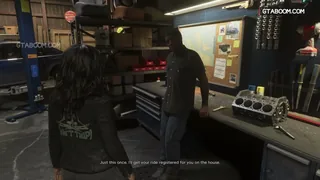 How to Register a Personal Vehicle in GTA VI: Moses, Pay ’N’ Spray, Fees, and Garage SlotsTo keep an eligible car you don't yet own as a personal vehicle in GTA VI, take an untracked car to Moses at Watkins Auto Parts in Port Gellhorn, respray it, and select Register. Once registration of cars with a standard tracker unlocks early in Chapter 3, you can register those cars with Register at Pay ’N’ Spray (an open Stored Vehicle slot is required). Only one registration is free: the first one Lucia makes at Moses's shop during the Chapter 2 mission "Moses," a one-time offer; later registrations cost a fee based on vehicle value.
- GTA VI Story Mode: Do Unregistered Cars Vanish on Restart?According to Game8, a stolen car you haven't registered in GTA VI Story Mode shows in gray on the radar, stays only temporarily, and disappears on restart. Registering it as a personal vehicle keeps it permanently. Whether an unregistered car left in a garage or safehouse spot survives a full quit and relaunch is unconfirmed.
 GTA VI World Map: What Selecting a Target Store ShowsSelecting an in-game target store on the GTA VI world map shows a rough guide to its security, the approximate value of its goods, and whether it has a safe, per PC Gamer. Alcast's guide lists three security levels: Low, Medium, and High.
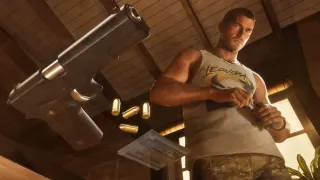 How to Raise Focus at Rodgers Ranch & Shooting Range in GTA VIAccording to the guides Game8 and PowerPyx, buy a ticket ($5 in-game) at the shop at Rodgers Ranch & Shooting Range northeast of Port Gellhorn, then play the beginner challenge shown on the in-game map as the course "MARKET RANGE" with the difficulty "BEGINNER - PISTOL" (per a PS5 English-language screen). Focus increases when you finish the run. One beginner run takes about 5 seconds, per the guides. As written in the guides, select "Quit" afterward and start again to retry.
 How to Check the Current Time on Your In-Game Phone in GTA VIPress up on the D-pad to open your in-game phone, then read the current time on the home screen. Based on ViceManual's PS5 playthrough with the English display and on VGC's guide.
 How to Use Defuse to Avoid Fights With NPCs in GTA VI on PS5On PS5, holster your weapon, approach a group, and hold L2 while facing them. If Defuse appears, keep holding L2 as you press ×. An NPC who squares up to you may back down without a fight when you choose Defuse. At one star, keep your gun holstered and hold L2 to focus on an officer. When Defuse and Provoke appear, choosing Defuse may clear your wanted level.
- GTA VI World Map Building Colors: Dark Blue vs. Light BlueOn the GTA VI world map, dark blue marks buildings with an entrance or interior you can go into, while light blue buildings cannot be entered. According to VGC's beginner's guide, when you approach a building with an interior, the minimap often marks its entrance with a white line. The color coding is also covered in Respec's playthrough notes.
 GTA VI (PS5): How to Open Phone Reminders and What They ShowOn PS5 in GTA VI, press Up on the D-pad to open your phone, then press Square on the phone's home screen to view Reminders. According to Push Square's guide and screenshots, the list can include important messages, in-game news, calls and replies to NPCs, and status notifications such as hunger.
- What Store Door Colors Mean in GTA VI's Focus Mode: White and RedAccording to VGC's Jordan Middler, when you activate Focus Mode in GTA VI, store doors are highlighted in color: white means you can enter, red means the door is alarmed.
- GTA VI: Stash Cash Under Jason's Floorboards Before BuckMe?Yes. Before the BuckMe banking app unlocks in the "Buck Me" mission, a prompt to check under loose floorboards appears in Jason's bedroom, where there is a cash stash (VGC). Use after unlocking is unconfirmed.