

GTA VI tips for saving, travel and vehicles · Page 14
How to save manually, deposit cash at an ATM, fast travel and register a personal vehicle.
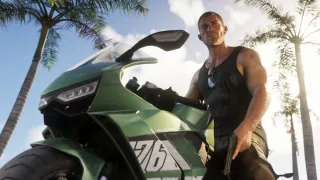 How to Find a GTA VI Mod Shop for Your VehicleAccording to GamesRadar+, a blue wrench marks a Mod Shop that specializes in your current vehicle type. A Mod Shop is where you customize vehicles. Look under Index → Vehicles → Mod Shops. Specialist shops offer options for your vehicle type, and paint choices can vary by shop.
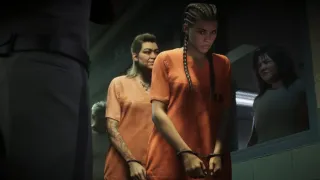 Does your partner’s arrest trigger BUSTED in GTA VI?According to Game8, if Jason and Lucia are fleeing together, the game shows the arrest message BUSTED when either one is arrested. In a pre-release IGN interview, developer Rob Nelson said you then respawn and play resumes.
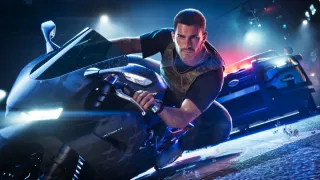 GTA VI search circles explainedAccording to Rockstar, flashing wanted stars mean the chase is about to end. The stars start flashing if you leave the inner circle without being spotted again during “Visual Lost,” when police have lost sight of you and are still searching. Mobalytics says the darker inner circle marks the area around the incident, while the lighter outer circle shows the wider search area. PowerPyx says that in the Chapter 1 mission “Unwanted Attention,” a marker shows Pay ‘n’ Spray as your next destination once the chase ends. A red outline still marks the Heat area on the map.
 How to Read GTA VI Wanted StarsAccording to The Independent, solid white wanted stars mean police have spotted you and are chasing you. Check the top-right HUD (game info). Flashing stars mean police have lost sight of you and your wanted level is starting to clear. Solid red means the chase has ended but Heat, the police alert in that area, remains. A white outline means someone reported a crime and police have yet to identify the suspect. In Rockstar’s explanation published by Destructoid, stars stay gray while police search after losing sight of you. They start flashing when you leave the inner search area without being spotted again.
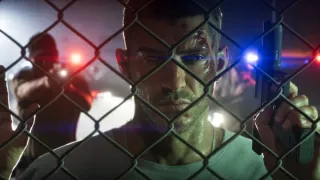 GTA VI Police on the Minimap? Spot Nearby Officers Through Walls With FocusFocus reportedly reveals nearby officers, even through walls. Focus highlights officers on your screen. According to Jack Briggs at Mobalytics, the minimap, the small map on your screen, doesn't show where each officer is the way earlier GTA games did.
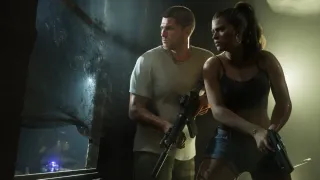 How Do You Split Up in GTA VI Credit Check?According to PowerPyx, the split-up prompt appears during “Lose the cops,” an objective near the end of the Chapter 3 mission “Credit Check.” When the prompt appears, hold Right on the D-pad and press Triangle on PS5 or Y on Xbox Series X|S to make your partner split off. TGG’s pre-launch preview says splitting up can lower your wanted level by one star if the police have spotted you as a pair.
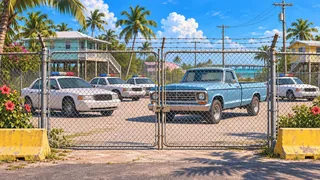 How to Get Your Impounded Personal Vehicle Back in GTA VIIf police impound your car in GTA VI Story Mode, drive it out of the impound lot marked on your map or ask the Scooter Bros app on your in-game phone to deliver it. Breaking the gate yourself sets off an alarm and can put the police on your trail. The app only retrieves registered vehicles, and it usually costs money.
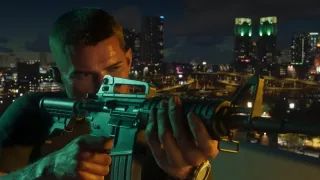 GTA VI: Do Non-Lethal Incapacitations Increase Focus?According to PC Gamer, when your active character's criminal profile (a per-character tier) is Professional or Hardened, doing a non-lethal incapacitation (stopping someone without killing them) increases your Focus gauge. Push Square says a yellow X on your reticle (aiming mark) is the sign for it. Rob Nelson also said Heat rose in the same scene during a pre-release demo.
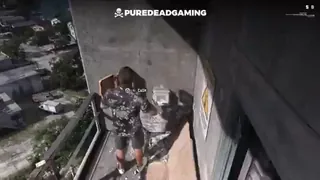 Where to get an early parachute in GTA VIPureDeadGaming’s launch footage shows that you can pick up a parachute in the concrete tower near the early hideout. Climb the ladder to find the yellow case on the upper walkway.
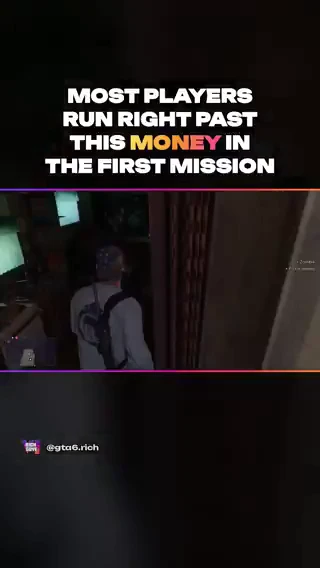 Where is the cash pickup prompt in GTA VI’s opening mission RV?In GTA6RICH’s clip of the opening mission, the cash pickup prompt appears on the counter inside the RV (a camper) next to a white car. In the same scene at 0:03–0:26, there’s a green $ on the minimap (the small map on screen).
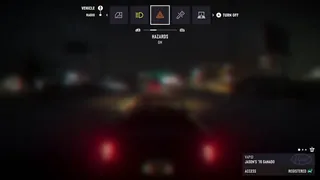 How do you turn on the Ganado’s hazards in GTA VI on Xbox Series X|S?Leonida Interactive’s demo shows how to turn on the hazard lights in the Ganado, a vehicle, with the default Xbox Series X|S controls. Select HAZARDS in the Vehicle row of the vehicle menu. Press A only when the status is OFF and the prompt says A TURN ON. ON and A TURN OFF mean the lights are on. If you already see both, leave A alone.
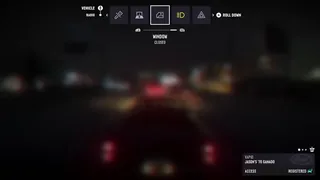 What Prompt Appears for a Closed Window in the Ganado on Xbox?In the Ganado vehicle on Xbox Series X|S using the default Xbox layout, highlighting WINDOW on the Vehicle row when the status is CLOSED shows the A ROLL DOWN prompt for lowering the window with the A button.